Redundant Array of Independent Disks (RAID)
Disks that underpin the mass storage system can be provisioned as a redundant array of independent disks (RAID).
- Redundancy sacrifices some disk capacity but provides fault tolerance
- To the OS, the RAID array appears as a single storage resource, or volume
- can be partitioned and formatted like any other drive
- RAID level represents a drive configuration with a given type of fault tolerance
- Basic RAID levels are numbered from 0 to 6
- are also nested RAID solutions, such as RAID 10 (RAID 1 + RAID 0)
- can be implemented using features of the operating system, referred to as software RAID
- Hardware RAID uses a dedicated controller, installed as an adapter card
- RAID disks are connected to SATA ports on the RAID controller adapter card, rather than to the motherboard
- principally differentiated by their support for a range of RAID levels
- Entry-level controllers might support only RAID 0 or RAID 1
- mid-level controllers might add support for RAID 5 and RAID 10
- often able to hot swap a damaged disk
RAID Levels
When implementing RAID, it is important to select the appropriate RAID level.
- factors influencing this decision include:
- the required level of fault tolerance
- read/write performance characteristics
- required capacity
- cost
Info
When building a RAID array, all the disks should normally be identical in terms of capacity and ideally in terms of type and performance. If disks are different sizes, the size of the smallest disk in the array determines the maximum amount of space that can be used on the larger drives.
RAID 0 (Striping without Parity)
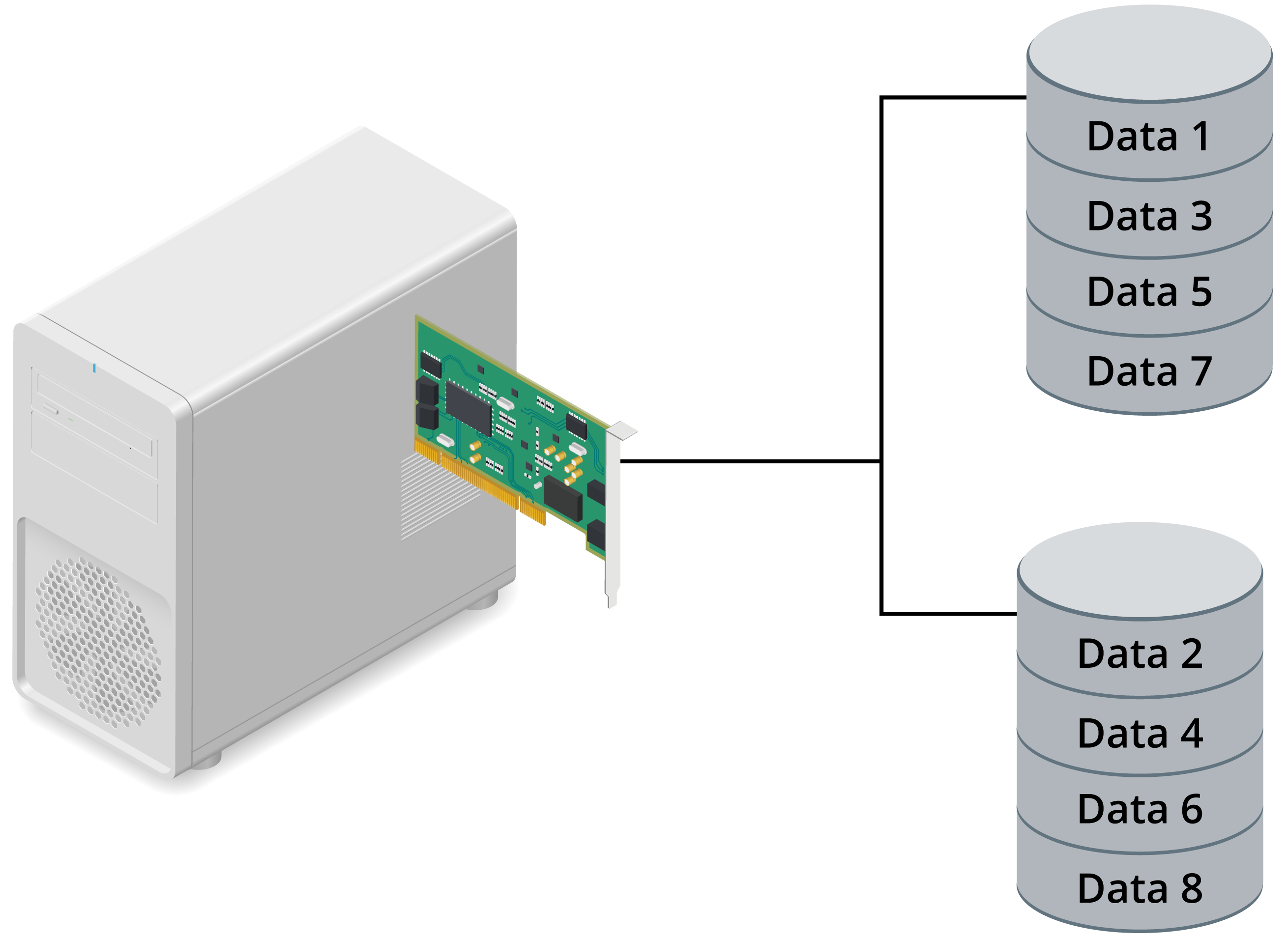
Disk striping divides data into blocks and spreads the blocks in a fixed order among all the disks in the array.
- improves performance as multiple disks are available to service requests in parallel
RAID 0 requires at least two disks.
- logical volume size is the sum of the drives multiplied by the smallest capacity physical disk in the array
- provides no redundancy at all
- if any physical disk in the array fails, the whole logical volume will fail,
- causing the computer to crash and requiring data to be recovered from backup
- only has specialist uses—typically as some type of non-critical cache store
RAID 1 (Mirroring)
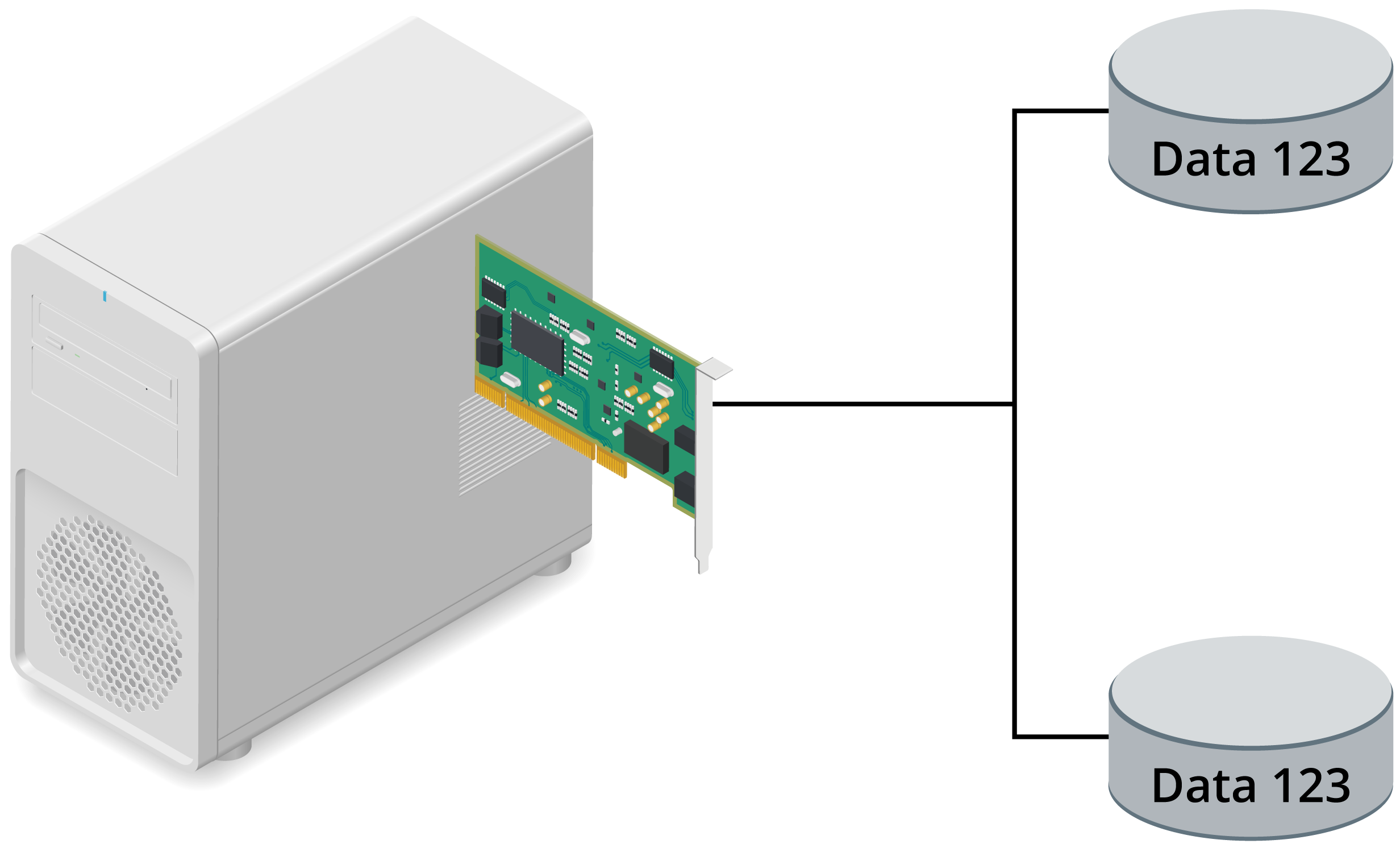
RAID 1 is a mirrored drive configuration using two disks.
- Each write operation is duplicated on the second disk in the set
- introduces a small performance overhead
- read operation can use either disk
- somewhat boosts performance
- simplest way of protecting a single disk against failure.
- If one disk fails, the other takes over
- little impact on performance during this, so availability remains good
- failed disk should be replaced as quickly as possible to restore redundancy
- When the disk is replaced, it must be populated with data from the other disk
- Performance while rebuilding is reduced
- though RAID 1 is better than other levels in that respect and the rebuilding process is generally shorter than for parity-based RAID
- disk mirroring is more expensive than other forms of fault tolerance because disk space utilization is only 50%
- in terms of cost per gigabyte
RAID 5 and RAID 10
RAID 5 and RAID 10 have performance, disk utilization, and fault tolerance characteristics that can make them better choices than basic mirroring.
RAID 5 (Striping with Distributed Parity)
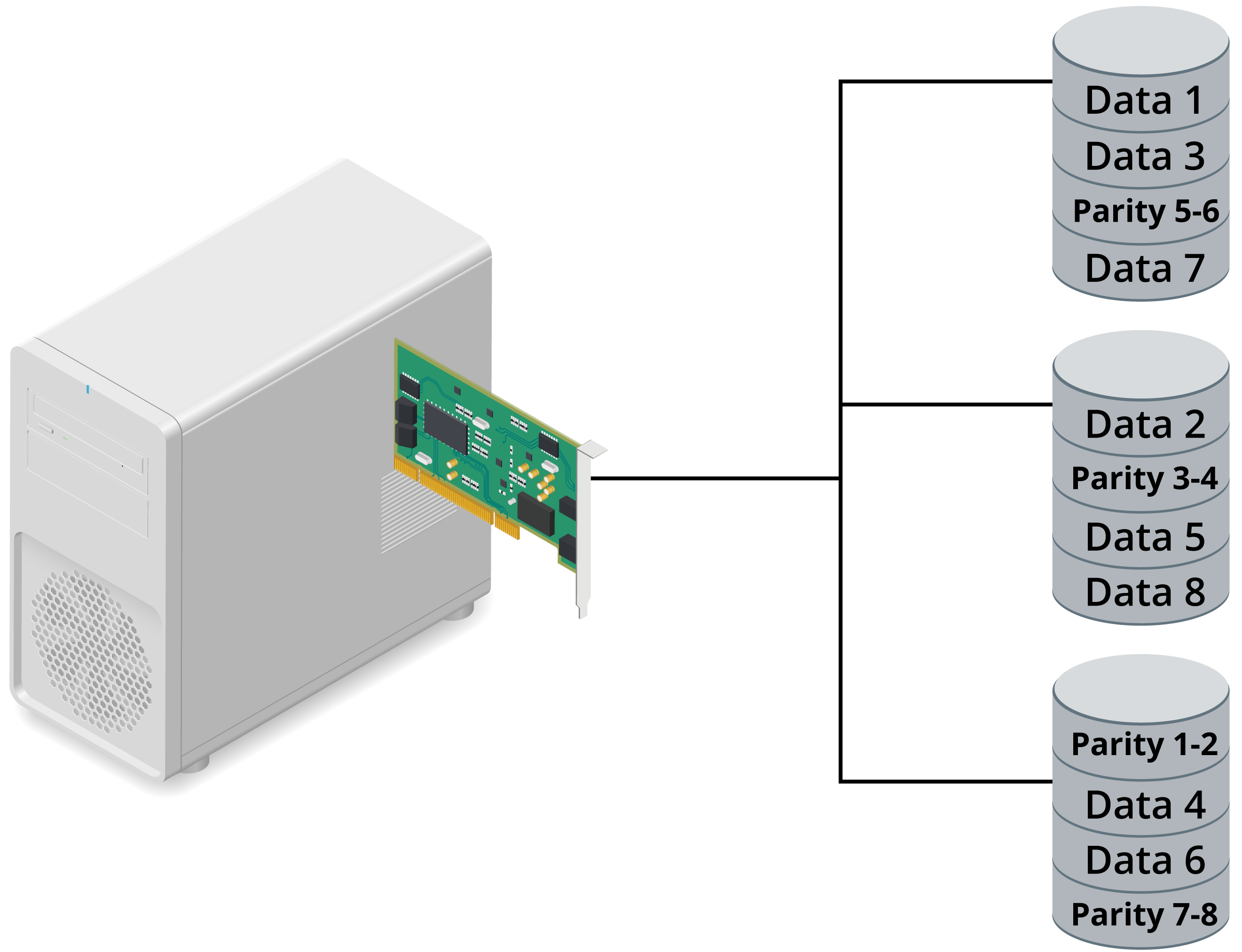
RAID 5 uses striping (like RAID 0) but with distributed parity.
- Distributed parity means that error correction information is spread across all the disks in the array
- The data and parity information are managed so that the two are always on different disks
- If a single disk fails, enough information is spread across the remaining disks to allow the data to be reconstructed
- Stripe sets with parity offer the best performance for read operations
- when a disk has failed, the read performance is degraded by the need to recover the data using the parity information
- all normal write operations suffer reduced performance due to the parity calculation
- requires a minimum of three drives but can be configured with more
- allows more flexibility in determining the overall capacity of the array than is possible with RAID 1
- A “hard” maximum number of devices is set by the controller or OS support
- more likely to be determined by practicalities such as cost and risk
- Adding more disks increases the chance of failure
- If more than one disk fails, the volume will be unavailable
- level of fault tolerance and available disk space is inverse
- As you add disks to the set, fault tolerance decreases but usable disk space increases
- configure a RAID 5 set using three disks, a third of each disk is set aside for parity
- a three 80 GB disk configuration, you would have a 160 GB usable volume
RAID 10 (Stripe of Mirrors)
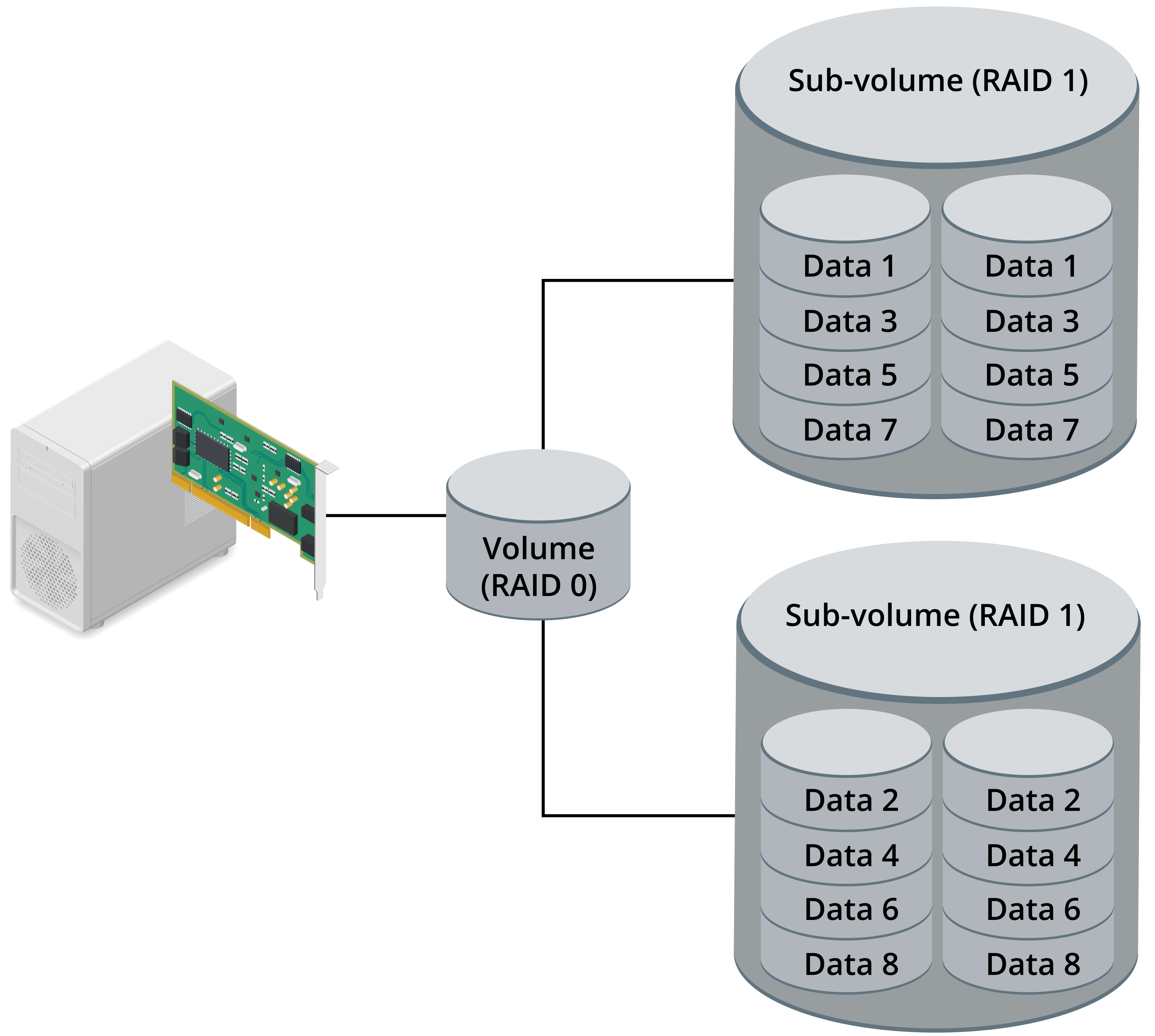
A nested RAID configuration combines features of two basic RAID levels. RAID 10 is a logical striped volume (RAID 0) configured with two mirrored arrays (RAID 1).
- offers excellent fault tolerance
- one disk in each mirror can fail, and the volume will still be available
- requires at least four disks
- must be an even number of disks
- carries the same 50% disk overhead as mirroring