Client-to-Site VPNs
Client-to-site VPNs allow employees to securely connect to an organization’s internal network remotely through the use of VPN client software installed on their machine.
- aka remote access VPN
- In a client-to-site topology
- VPN client connects over the public network to a VPN gateway
- a VPN-enabled router
- positioned on the edge of the local network
- typically in a screened subnet
- VPN client connects over the public network to a VPN gateway
- Client-to-site is the “telecommuter” model
- allows homeworkers and employees working in the field to connect to the corporate network
- can be configured using a number of protocols
- SSL/TLS VPN solution uses certificates to establish the secure tunnel
- e.g.,
- Microsoft’s Secure Socket Tunneling Protocol (SSTP)
- Microsofts’s Point-to-Point Tunneling Protocol (PPTP)
- deprecated due to security flaws
- Cisco’s Layer 2 Tunneling Procotol (L2TP)
- used in conjunction with IPSec
- require client software to operate
- e.g.,
- SSL/TLS VPN solution uses certificates to establish the secure tunnel
Managing Client Connections
- When a client connected to a remote access VPN tries to access other sites on the Internet, there are two ways to manage the connection:
-
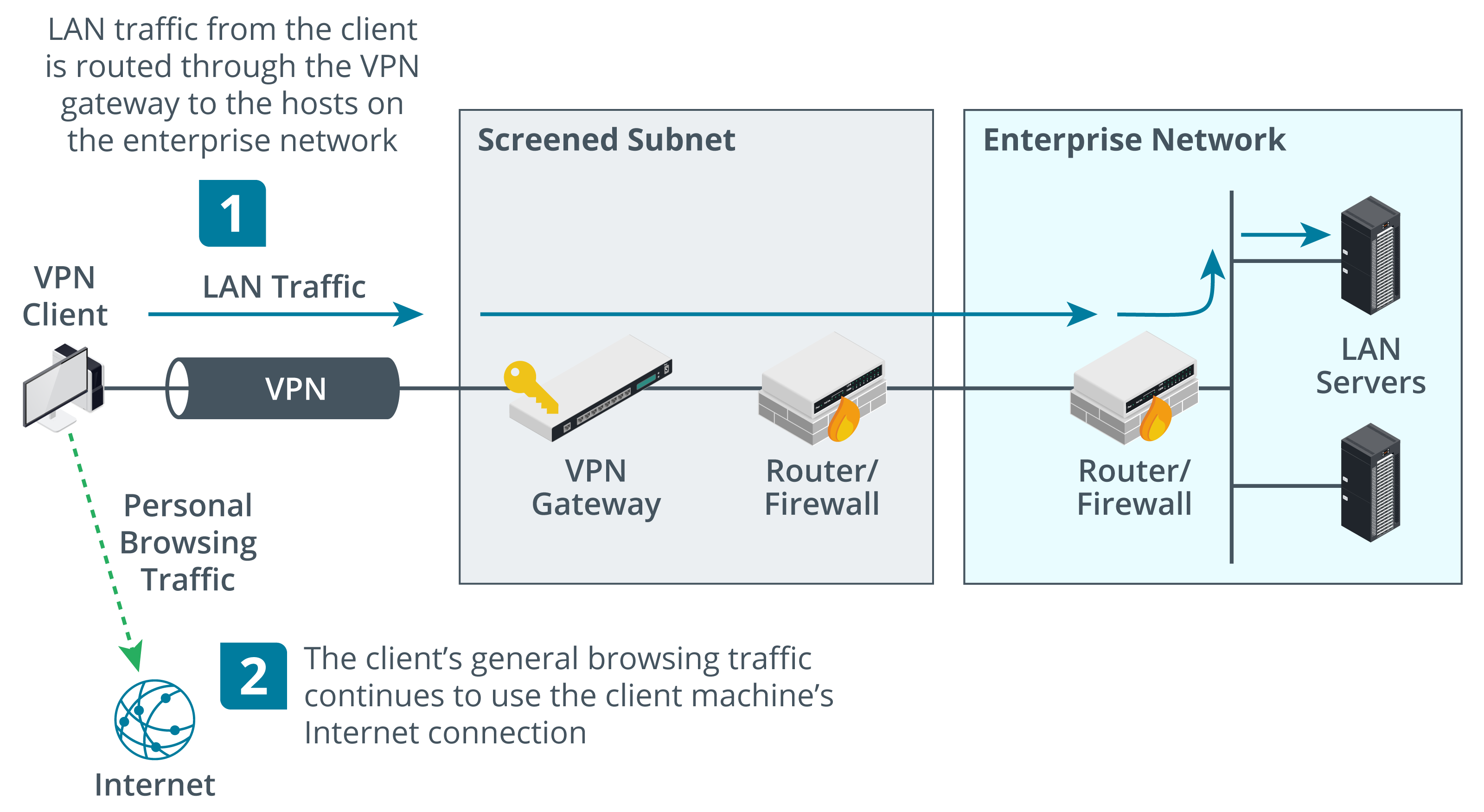
Split tunnel
- VPN configuration where only traffic for the private network is routed via the VPN gateway
- client accesses the Internet directly
- using its ISP-managed IP configuration, routers, and DNS servers
-
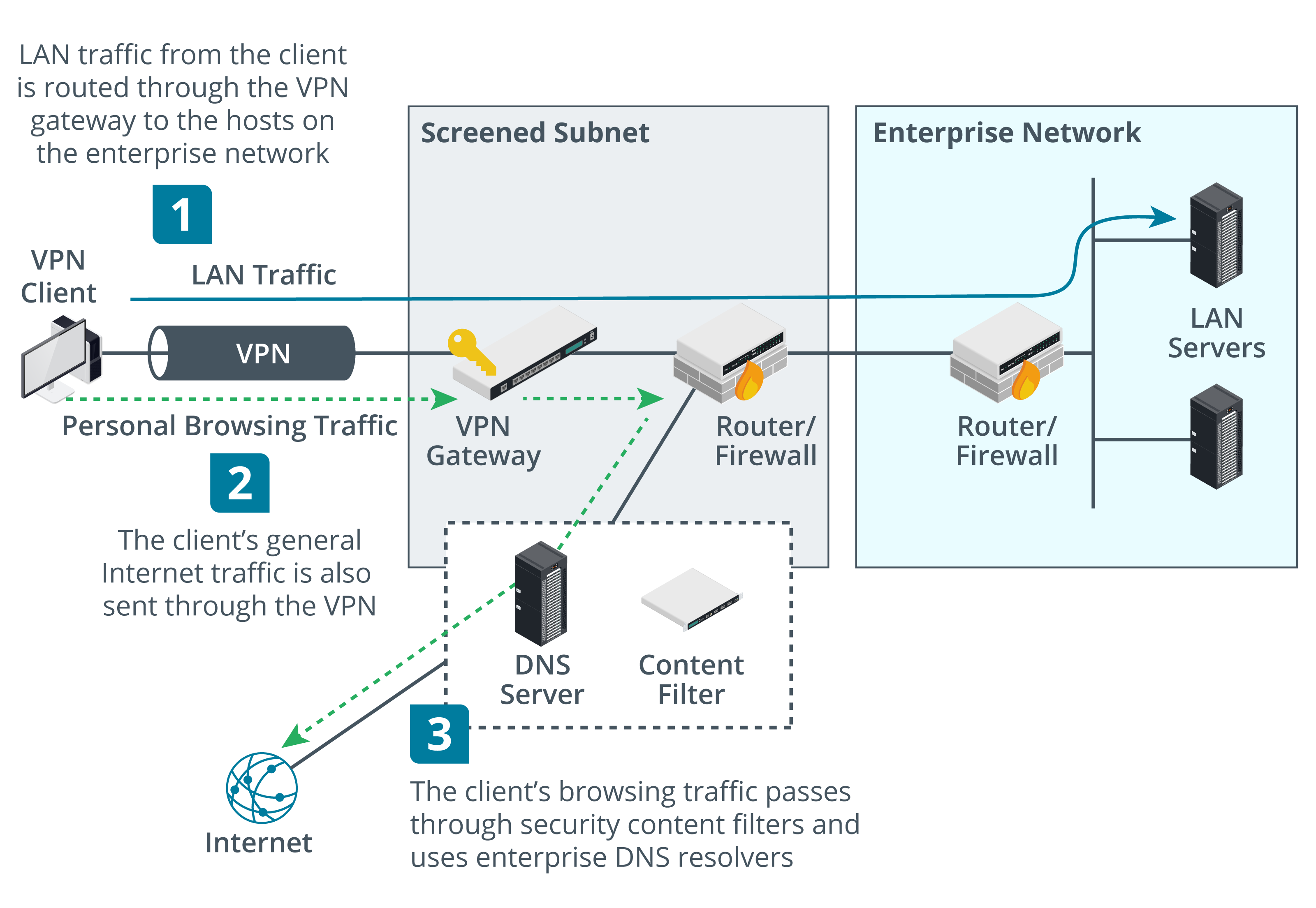
Full tunnel
- VPN configuration where all traffic is routed via the VPN gateway
- Internet access is mediated by the corporate network
- will alter the client’s IP address and DNS servers
- may use a proxy
- offers better security
- but
- NAT and DNS operations may cause problems with some websites
- especially cloud services
- more data is channeled over the link
- can have higher latency
- NAT and DNS operations may cause problems with some websites
- but
-