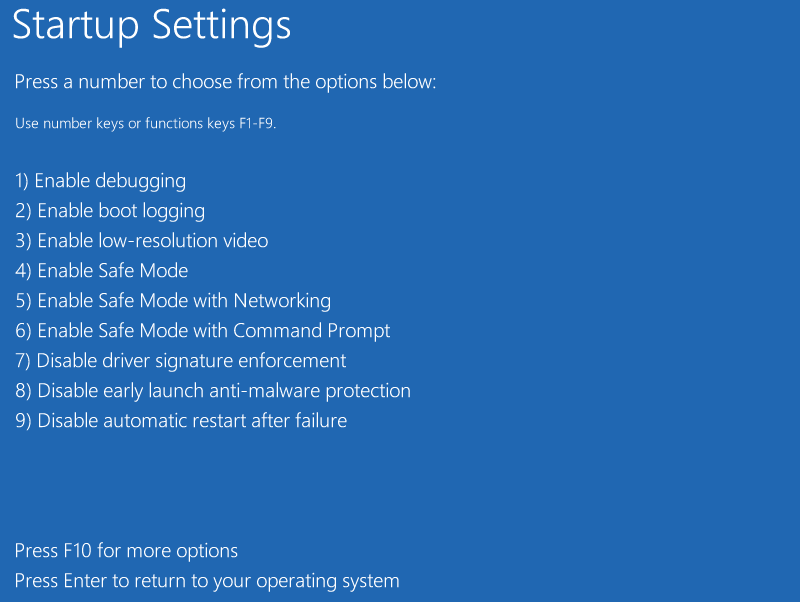
Advanced Boot Options
The Advanced Boot Options menu allows the selection of different startup modes for troubleshooting.
- displayed automatically if system cannot start OS
- can invoke manually
- with BIOS boot, press
F8before OS loads - with UEFI boot, hold
SHIFTand click Restart option from power menu on lock screen
- with BIOS boot, press
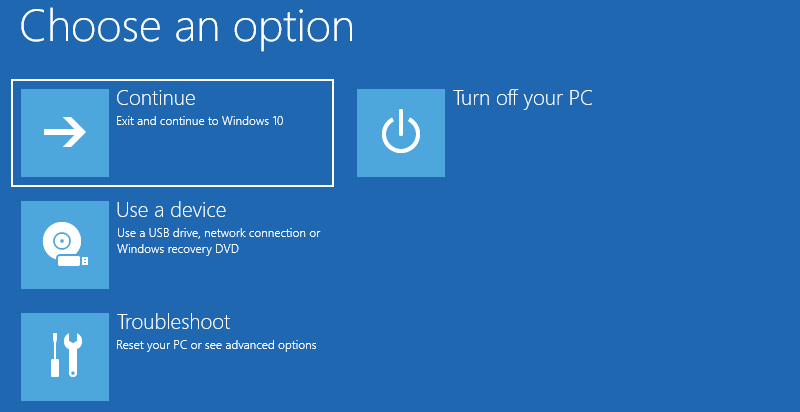
- from Advanced Boot Options, select Troubleshoot > Advanced Options > Startup Settings > Restart
F4for Safe Mode- loads only basic drivers and services required to start system
- isolates reliability or performance problems to add-in drivers or app services
- can run analysis and recovery tools
chkdsk, System Restore, antivirus utilities