Structured Query Language (SQL) Operations
Selection
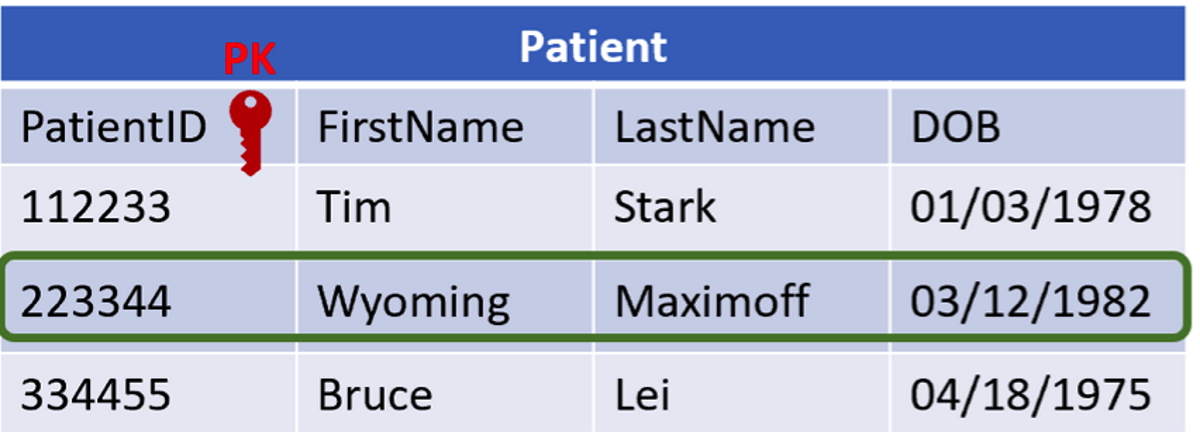
The selection operation takes rows from one table and creates a new table.
SELECT * FROM Patient
WHERE PatientID = ‘223344’;SELECTstatement identifies the records that are being requested*means everything from that tableFROMidentifies the table nameWHEREis the condition the query is requesting.
Union
The union operation combines distinct fields from multiple tables that have the same set of attributes and data types.
SELECT PatientID, LastName FROM Patient
UNION
SELECT NurseID, LastName FROM Nurse;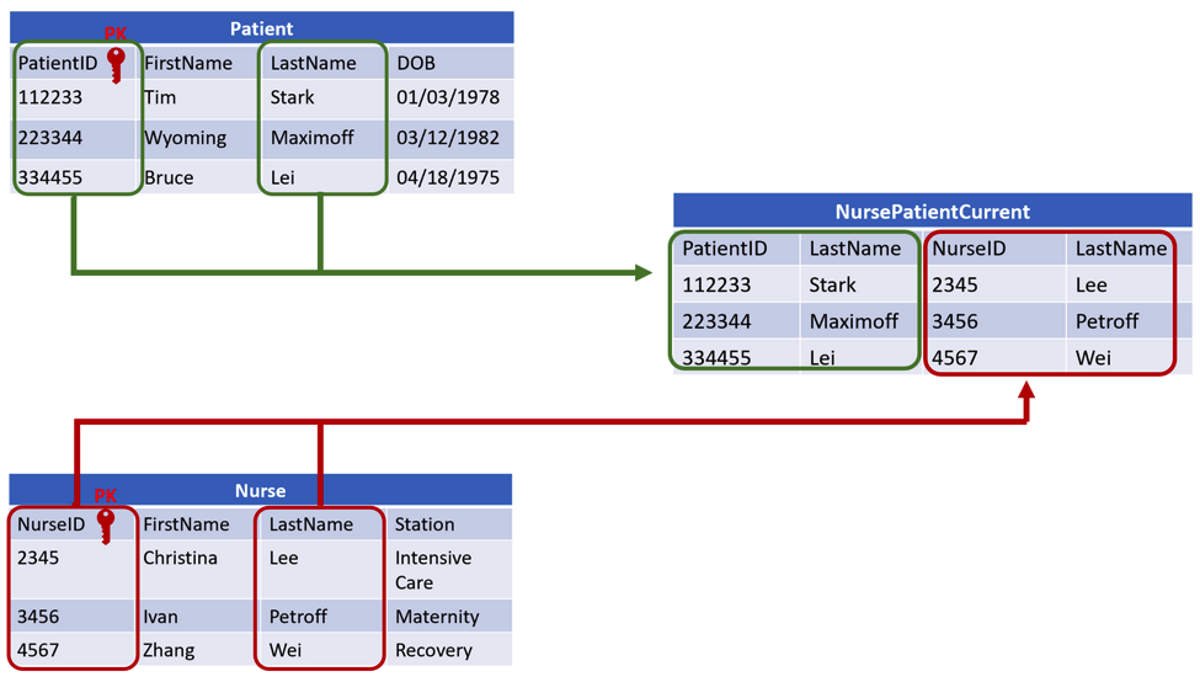
Product
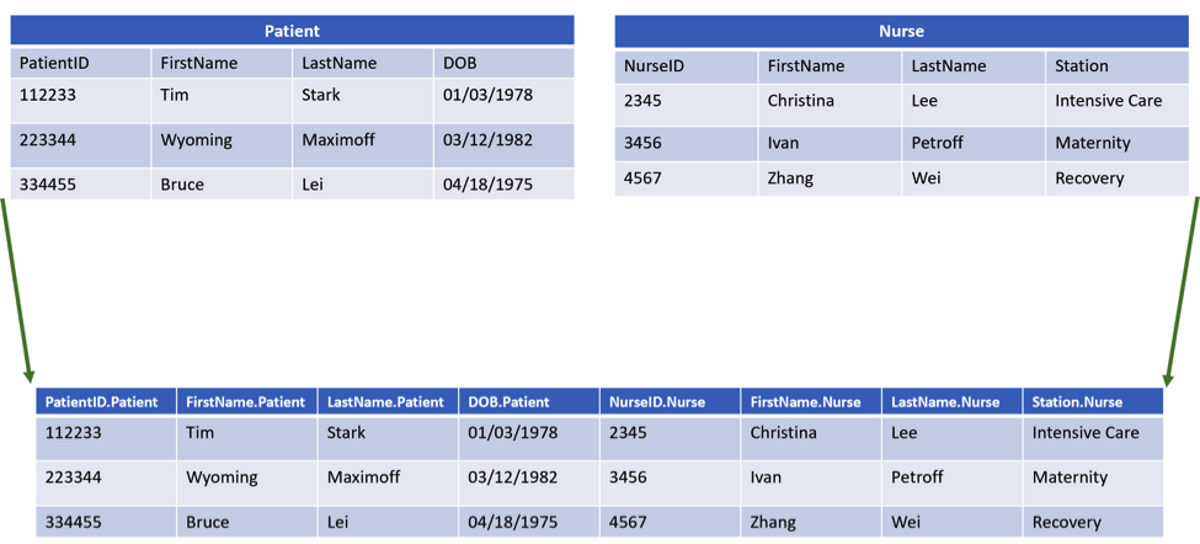
The product operation creates a result table that includes all of the attributes from the two tables; each row of the second table is added to each row of the first table.
SELECT Shifts.WingSegment, Shifts.Shift, NurseName.LastName
FROM Shifts
CROSS JOIN NurseName;
When you are using more than one table as a source, the table name precedes the attribute name, separated by a period.
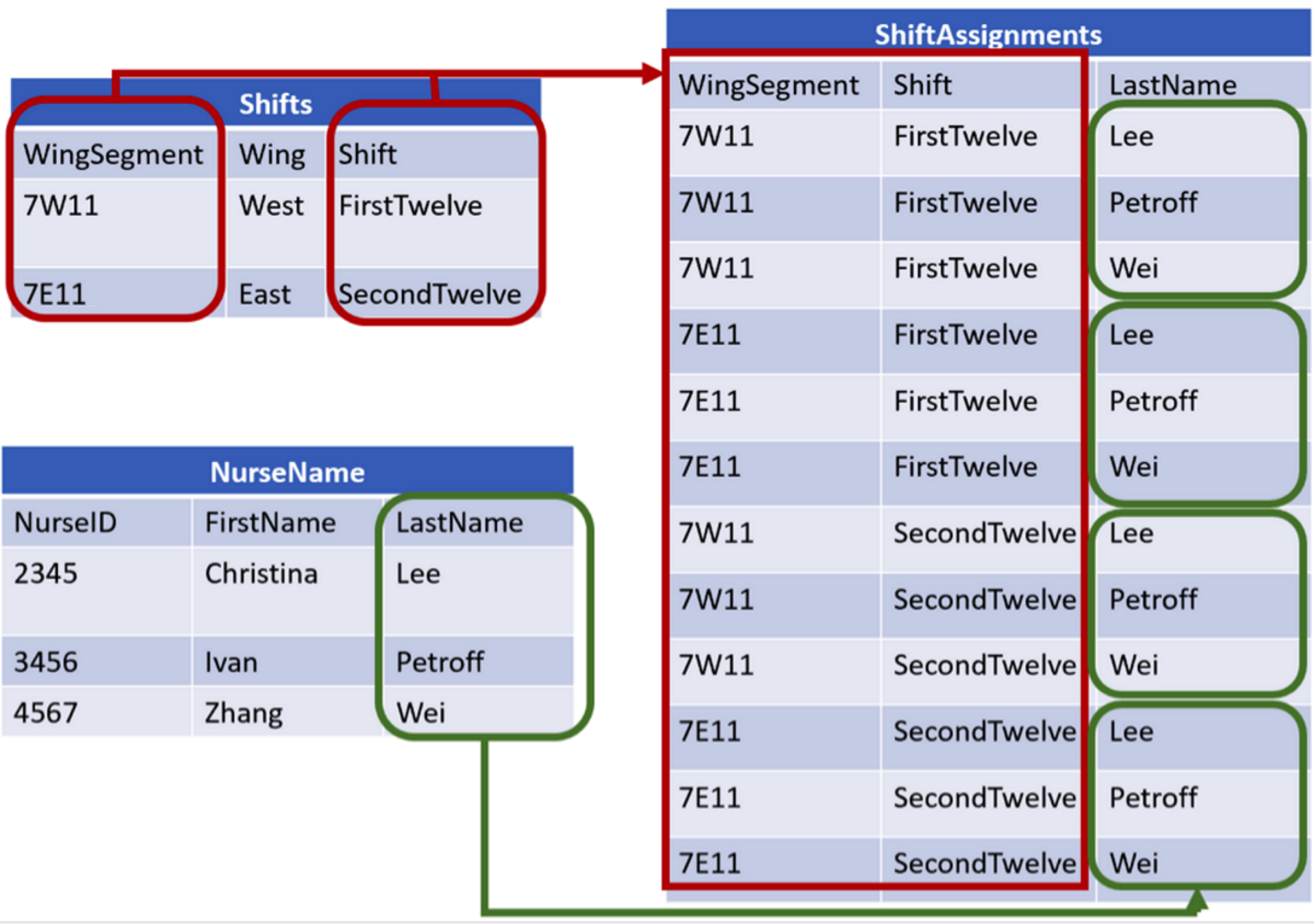
The result table from a product operation might not answer specific logical questions, but the combined tables allow other operations to answer more powerful questions relating to data from the two separate tables.
Join
A join operation combines two tables, but records are only appended when a matching criterion is met.
The result table includes a row with the attributes of both tables only when attributes from the first database table match related attributes from the second database table.
SELECT*
FROM Patient, Nurse;
This syntax selects all the fields from both ‘Patient’ and ‘Nurse’ tables, and joins them into one large table. This is referred to as an implicit join.
Alternatively, to get the same results, an explicit join can be used as shown below.
SELECT*
FROM Patient CROSS JOIN Nurse;