SATA Hard Drive Cables
As well as external cabling for peripheral devices, some types of internal components use cabling to attach to a motherboard port.
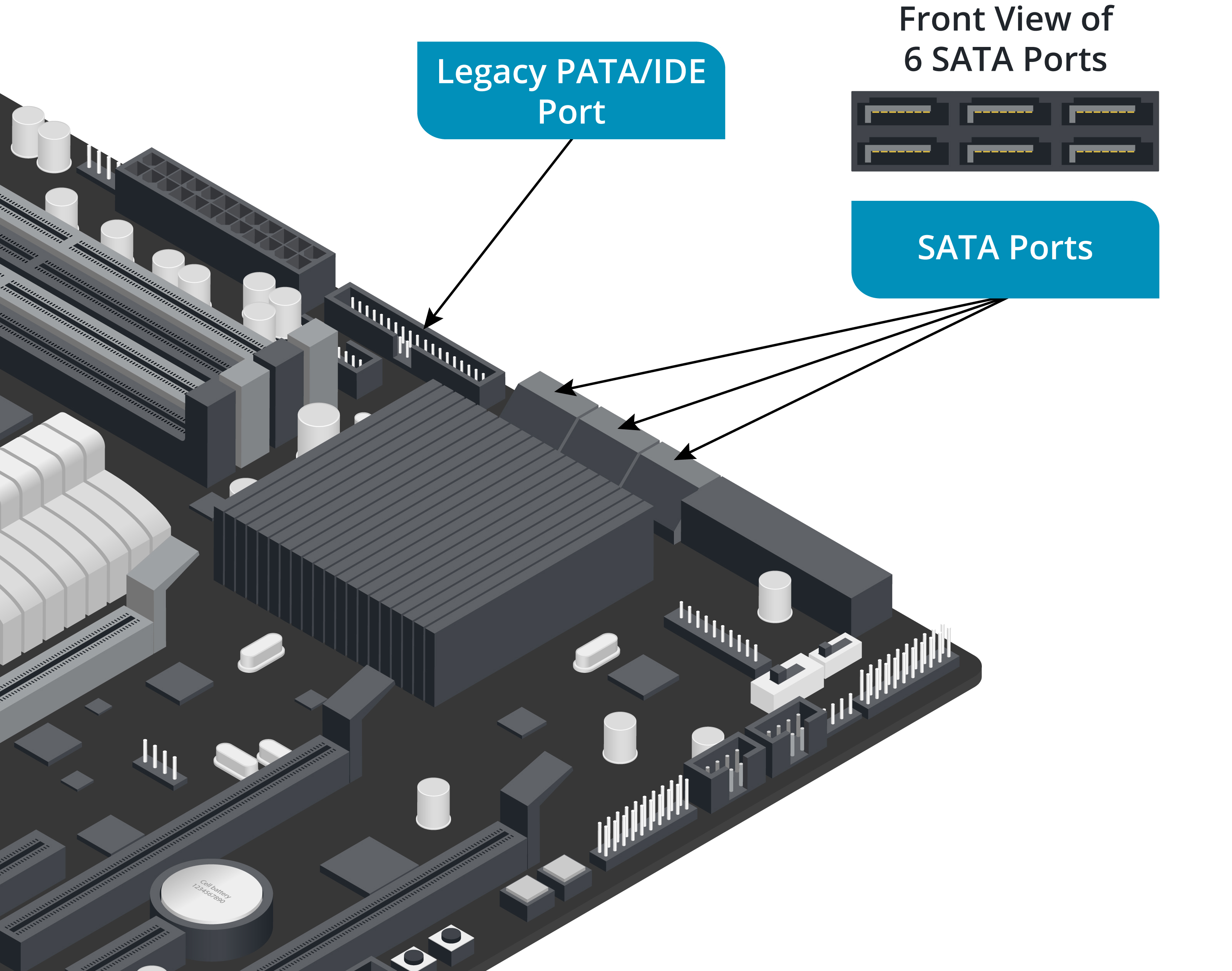
Serial Advanced Technology Attachment Interface
Serial Advanced Technology Attachment (SATA) is the standard means of connecting internal storage drives within a desktop PC.
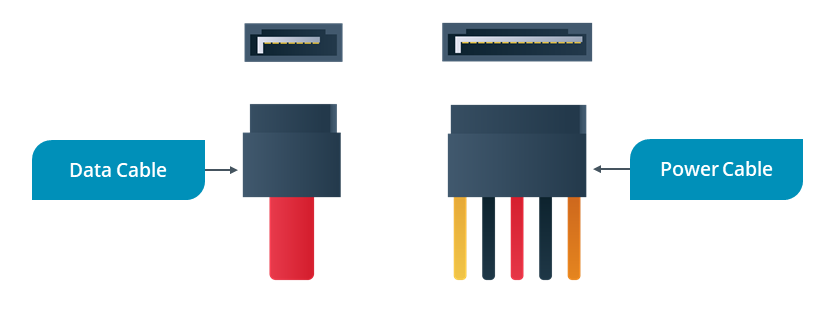
- SATA uses cables of up to 1 m (39 in.) terminated with compact 7-pin connectors
- Each SATA host adapter port supports a single device
- The 7-pin data connector does not supply power
- A separate 15-pin SATA power connector is used to connect the device to the PC’s power supply
- The first commercially available SATA standard supported speeds of up to 150 MBps
- This standard was quickly augmented by SATA revision 2 (300 MBps) and then SATA revision 3 (600 MBps)
Molex Power Connectors
- Internal storage device data cables are unpowered
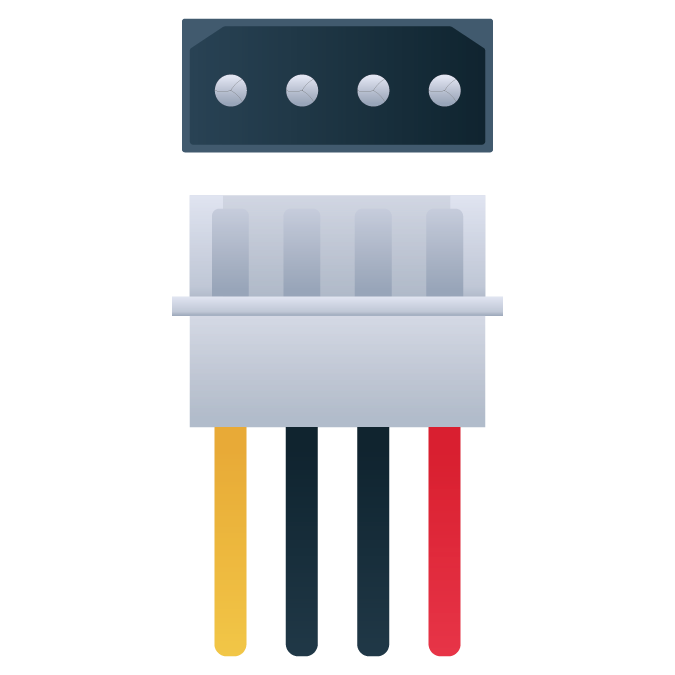
- While the SATA power connector is the best option for new devices, legacy components connect to the power supply unit (PSU) via a Molex connector
- A Molex connector is usually white or clear plastic and has 4 pins
- The color coding of the wire insulation represents the DC voltage:
- red (5 VDC)
- yellow (12 VDC)
- black (ground)
Note
Some devices might have both SATA and Molex power connectors.
External SATA
There is also an external SATA (eSATA) standard for the attachment of peripheral drives, with a 2 m (78 in.) cable.
- must use an eSATA cable to connect to an external eSATA port
- cannot use an internal SATA cable
- eSATAp is a nonstandard powered port used by some vendors that is compatible with both USB and SATA (with an eSATAp cable)
- The USB interface dominates the external drive market, however