Personal Computer Chassis & Tower
The system case/chassis houses the internal components.
- motherboard, central processing unit (CPU), system memory modules, adapter cards, fixed disks, and power supply unit
Open a PC
Front Panel
- A tower case has a side cover that can be removed by sliding the panel from its housing
- might be secured by screws or retaining clips and might have anti-tamper security mechanisms
- refer to the system documentation
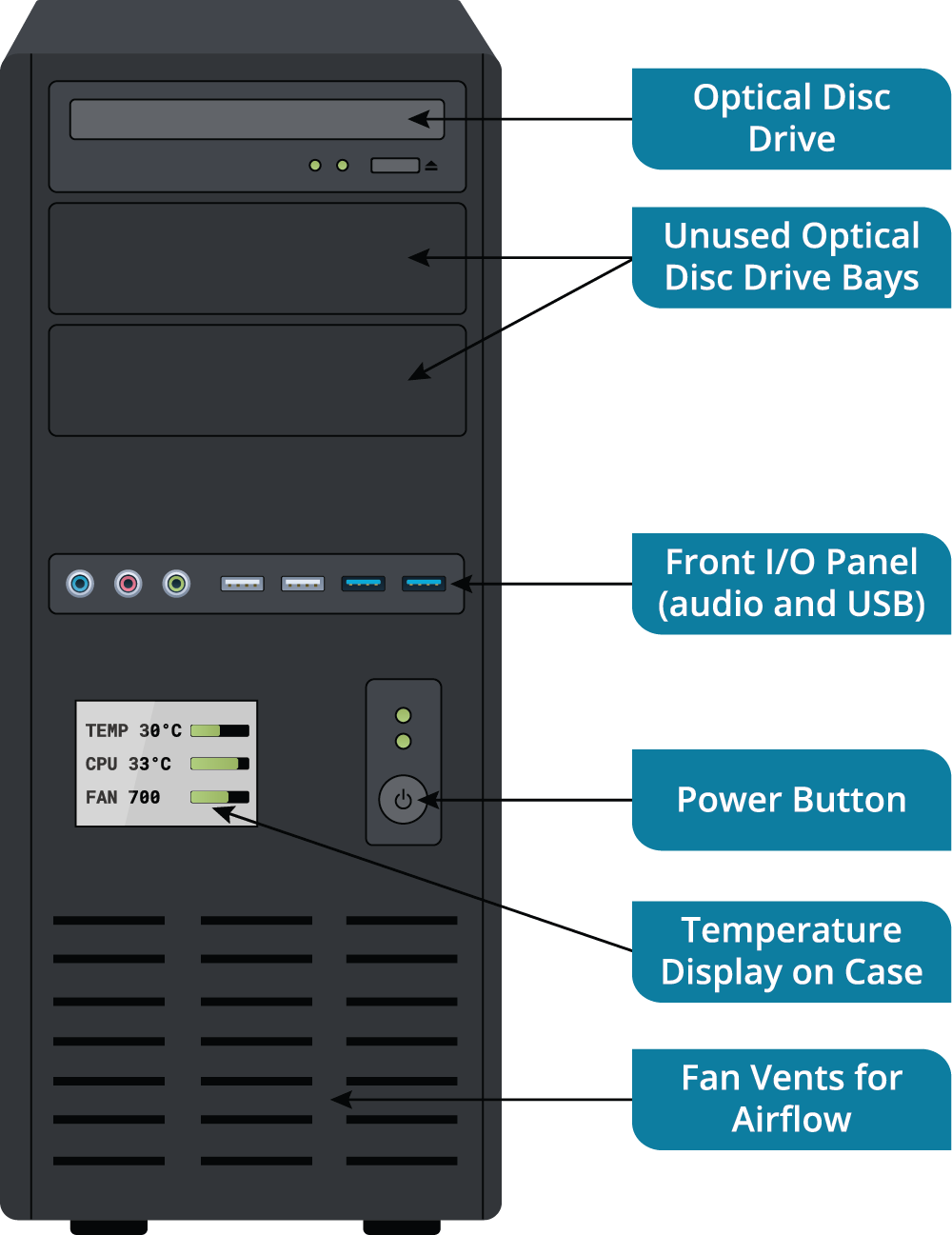
- front panel provides access to the removable media drives, a power on/off switch, and light- emitting diodes (LEDs) to indicate drive operation
- front cover can be removed but may require the side panel to be removed first to access the screws or clips that secure it
Rear Panel
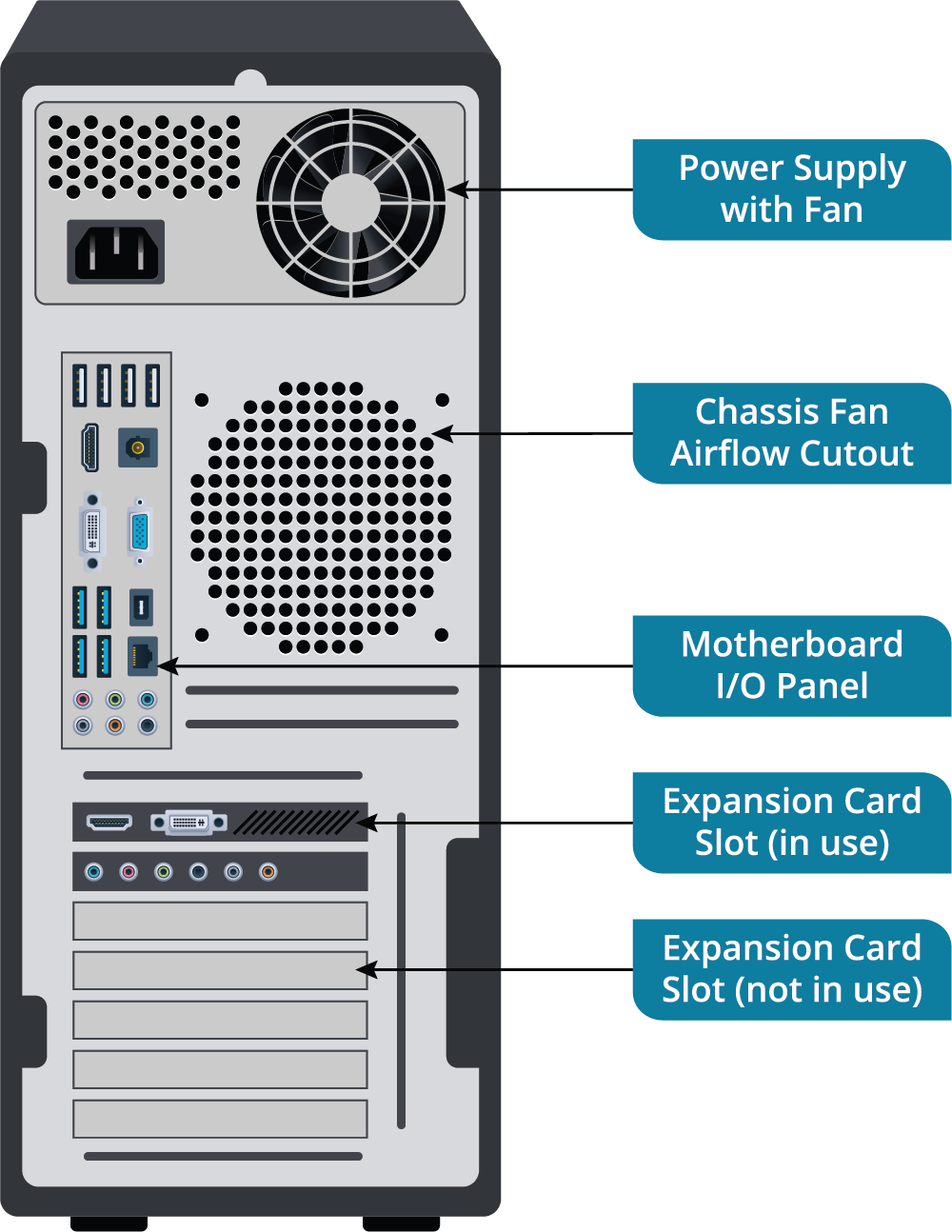
- rear panel provides access to the power supply unit (PSU) sockets
- PSU has an integral fan exhaust
- Do not obstruct this
- can be an additional case fan
- PSU has an integral fan exhaust
- Below the PSU, there is a cutout aligned with the motherboard’s input/output (I/O) ports
- allow for the connection of peripheral devices
- spaces between the ports are covered by an I/O shield to prevent dust getting into the case
- At the bottom of the rear panel there are cutout slots aligned with the position of adapter card slots to allow cables to be connected to any I/O ports on the cards
- slots should either be covered by an adapter card or a metal strip known as a blanking plate
- necessary to prevent gaps in the system case
- Gaps create the following problems:
- Dust can enter the case and cause overheating
- Components are more exposed to touching, increasing risks from electrostatic discharge (ESD)
- ESD means that a static charge on someone’s finger or on a tool is conducted into a computer chip.
- This can cause a temporary or permanent fault in the chip.
- Pins in the I/O shield connect the external metal parts of the ports to the metal case, which in turn is bonded to the PSU, which connects to the building’s ground system when plugged in.
- This provides a safe path for ESD to drain into instead of arcing to a chip.
- Components are more exposed to electromagnetic interference (EMI)
- EMI is energy from magnetic and electrical sources, such as motors or other electronic devices and radios, that can cause temporary or permanent faults.
- The PC’s case absorbs this energy, but gaps can reduce this protection.