Peripheral Devices
Peripheral Devices typically perform the function of input (keyboard, mouse, microphone, and camera), output (monitor and speakers), or external storage.
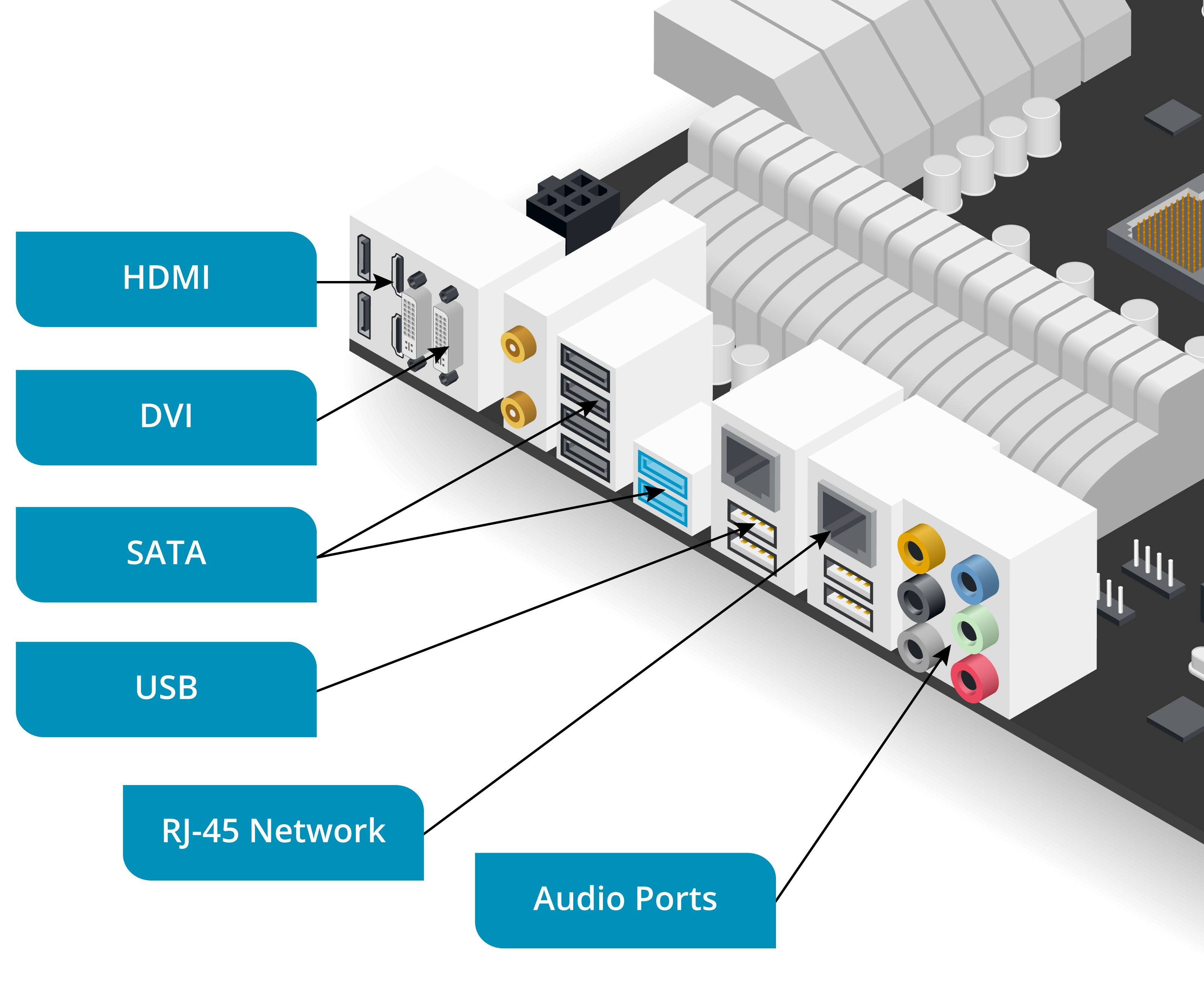
An input/output (I/O) port allows a device to be connected to the PC via a peripheral cable.
- some ports a designed for particular type of device
- E.g. graphics port for monitor
- some ports support a variety of device types
- external ports are positioned at the rear or front of the PC through cutouts in the case
- can be provided on the motherboard or as an expansion card
Interfaces, Ports, and Connectors
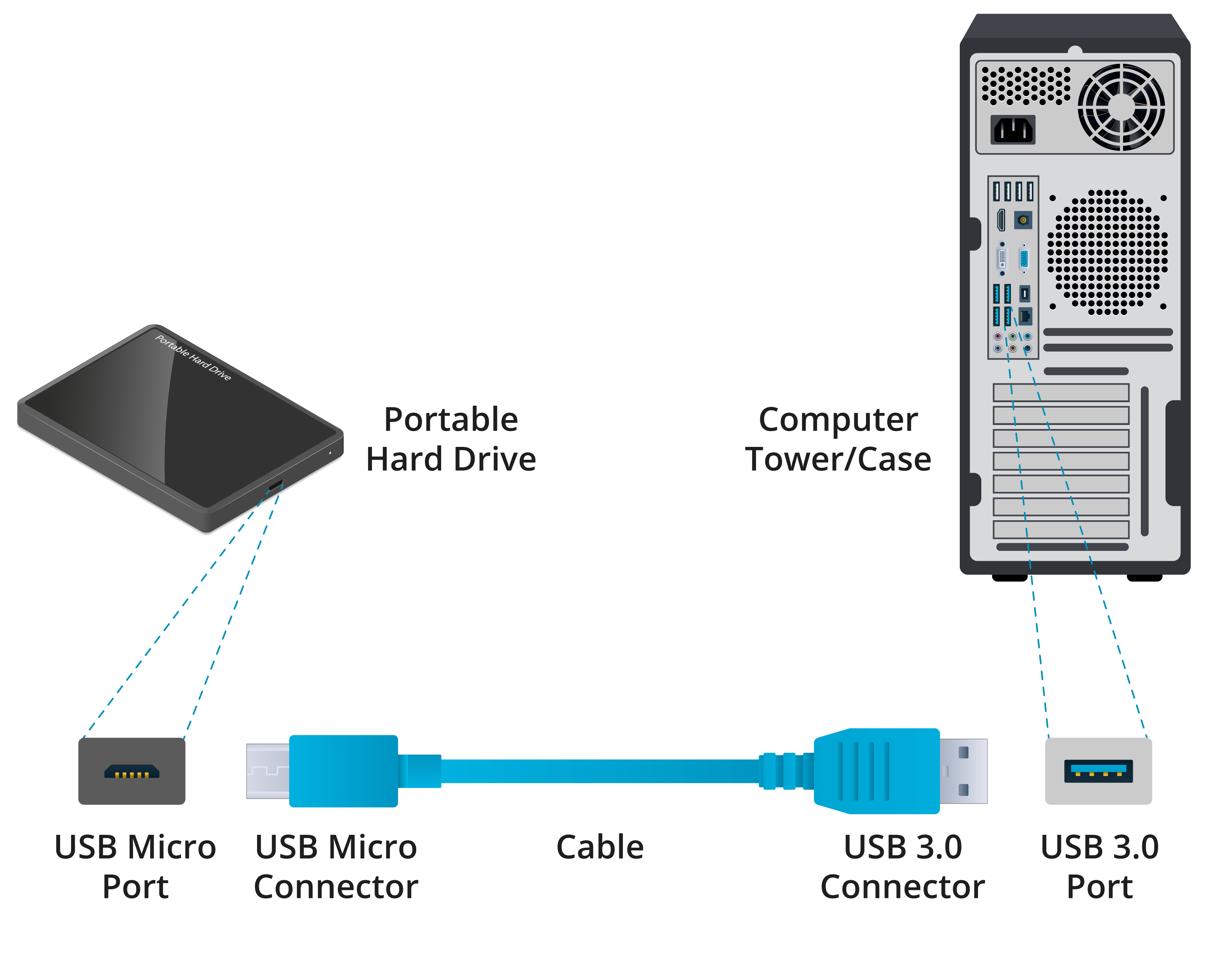
A hardware port is the external connection point for a particular type of bus interface.
- A bus allows the transfer of data to and from devices
- The connector is the part of a peripheral cable that can be inserted into a port with the same shape or form factor
- Each bus interface type might use multiple connector form factors
- Most connectors and ports now use edge contacts and either have an asymmetric design called keying to prevent them from being inserted the wrong way around or are reversible
Binary Data Storage and Transfer Units
- When comparing bus interfaces, it is important to use appropriate units
- Computers process binary data
- Each binary digit or bit (b) can have the value one or zero
- Storage is often measured in multiples of eight bits, referred to as a byte (B)
Transfer rates are expressed in units per second of the following multiples of bits and bytes:
- 1000—Kilobits (Kb/s or Kbps) and kilobytes (KB/s and KBps)
- 1000x1000—Megabits (Mb/s) or megabytes (MB/s)
- 1000x1000x1000—Gigabits (Gb/s) and gigabytes (GB/s)