Motherboard and System Memory Connectors
All motherboards have a variety of connector types and socket types for the system devices:
- CPU
- memory
- fixed disk drives
- adapter cards
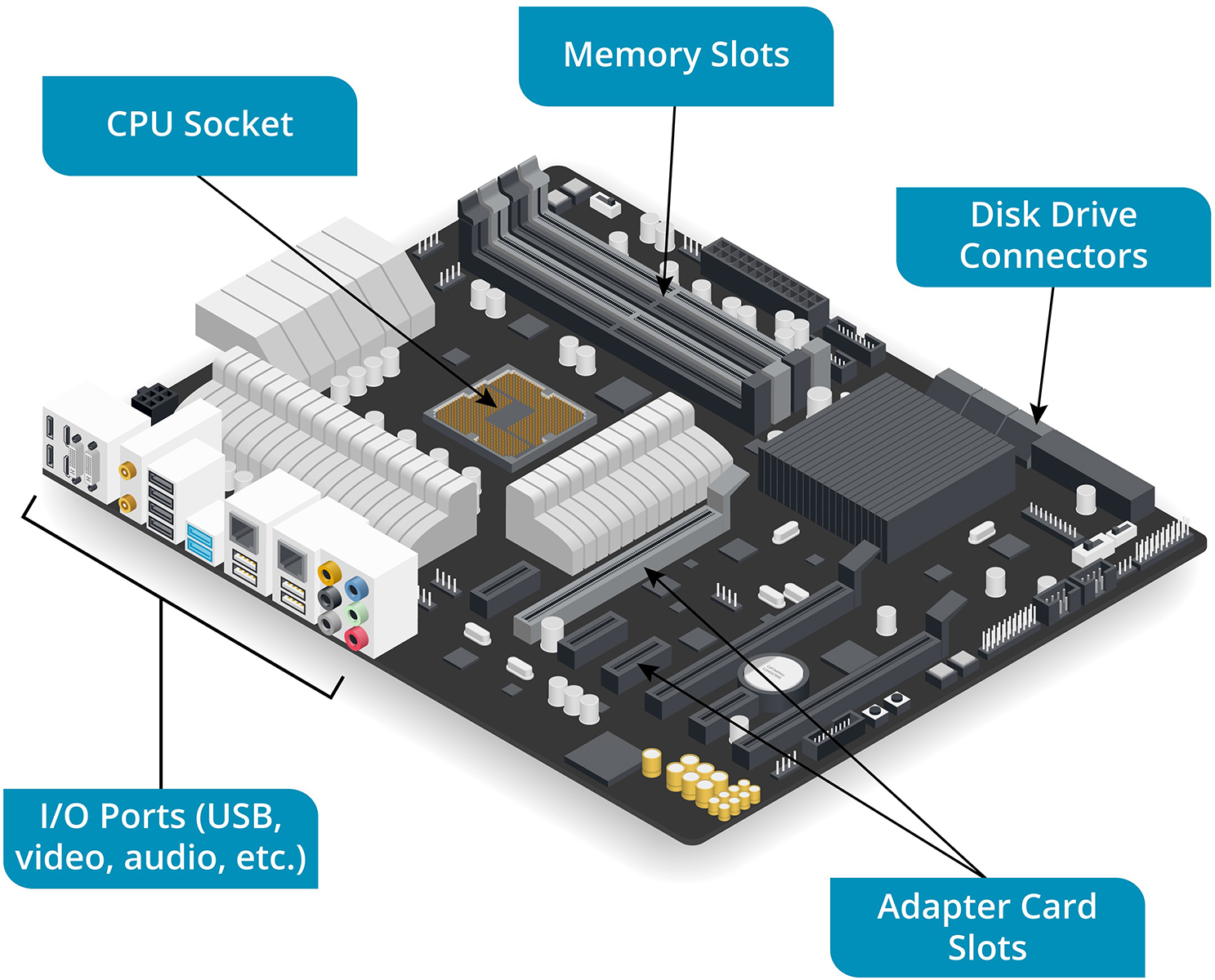
CPU Sockets
- New motherboards are generally released to support the latest CPU models
- Most PC CPUs are manufactured by Intel and AMD
- these vendors use different socket designs
- a given motherboard will only support a limited number of processor models
- Because CPU technology changes rapidly
- CPU socket has a distinctive square shape
- When the CPU has been installed, it is covered by a thermal paste, heat sink, and fan
- function of the CPU is supported by the motherboard’s chipset
- consists of controllers that handle the transfer of data between the CPU and various devices
- chipset is soldered onto the motherboard and cannot be upgraded
- type of chipset on the motherboard determines:
- the choice of processor
- type and maximum amount of RAM
- support for integrated interfaces/ports
- E.g., video, sound, networking
- Interfaces that are not supported by the chipset can be installed or upgraded as an adapter card
System Memory Slots
- System memory uses a type of memory technology called random-access memory (RAM)
- Program code is loaded into RAM so that it can be accessed and executed by the processor
- RAM also holds data, such as the contents of a spreadsheet or document, while it is being modified
- System RAM is volatile
- loses its contents when power is removed
- normally packaged as a dual inline memory module (DIMM) fitted to a motherboard slot
- A DIMM slot:
- has catches at either end
- is located close to the CPU socket
- is numbered and often color-coded
- A DIMM slot:
- successive generations of RAM technologies, such as DDR3, DDR4, and DDR5
- A DIMM form factor is specific to a particular DDR version
- A label next to the slots should identify the type of DIMMs supported
- capabilities of the memory controller and number of physical slots determine how much memory can be fitted