Motherboard Storage Connectors
Fixed disks installed inside the PC case provide persistent storage for the operating system, software programs, and data files.
- use either solid state drive (SSD) or hard disk drive (HDD) technology
Serial Advanced Technology Attachment Interface
- The motherboard will contain several Serial Advanced Technology Attachment (SATA) ports to connect one or more fixed drives
- SATA can also be used to connect removable drives
- E.g., Tape drives and optical drives (DVD/Blu-ray)
- SATA devices are installed to a drive bay in the chassis and then connected to a data port via a cable and to the power supply via a SATA power or Molex connector
M.2 Interface
- An SSD can be provisioned in an adapter card form factor
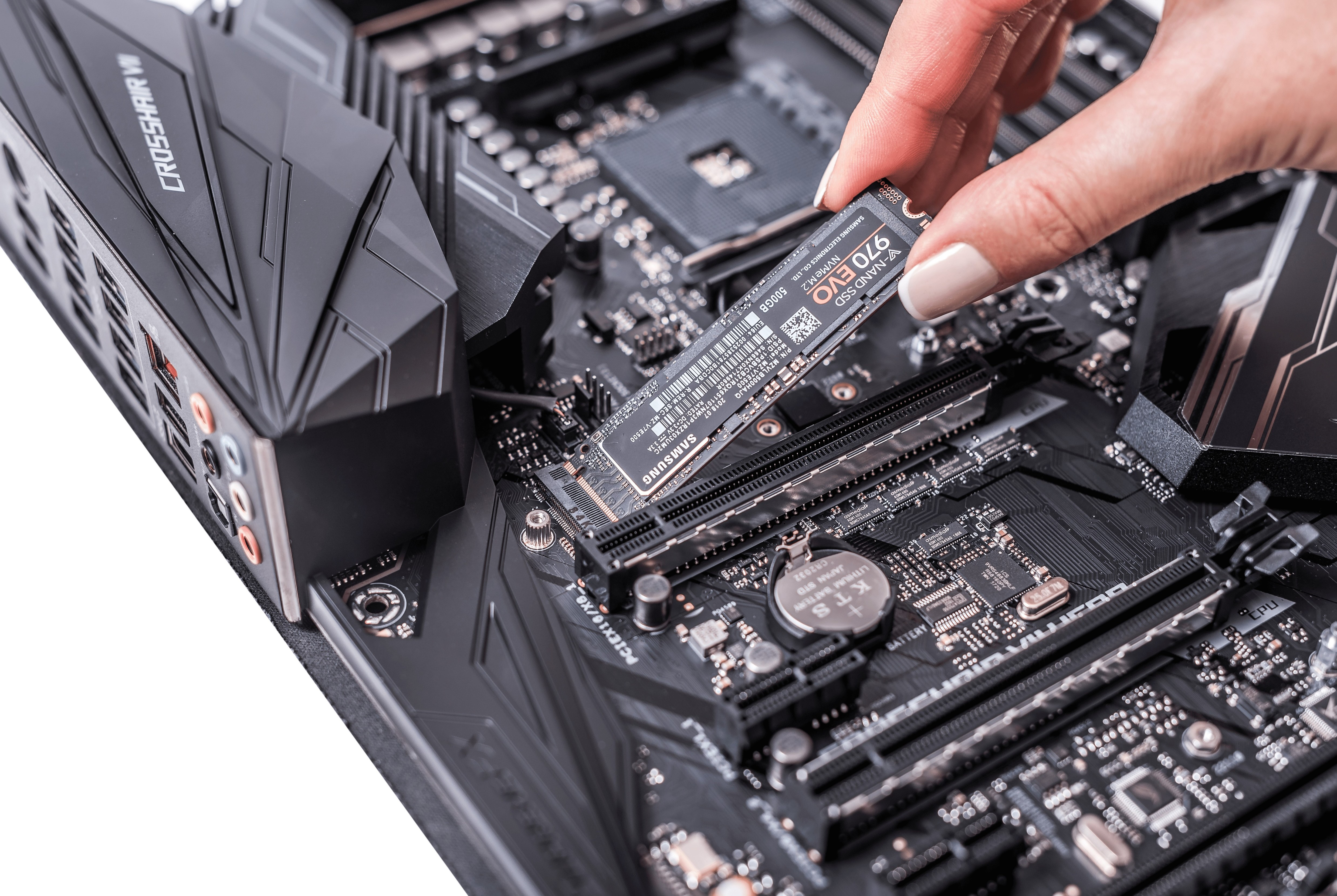
- These often use an M.2 interface
- M.2 port is oriented horizontally
- adapter card is inserted at an angle and then pushed into place and secured with a screw
- M.2 adapters can be different lengths (42 mm, 60 mm, 80 mm, or 110 mm)
- check that any given adapter will fit on your motherboard
- Labels indicate the adapter sizes supported
- M.2 supplies power over the bus, so there is no need for a separate power cable
External SATA Interface
There is also an external SATA (eSATA) standard for the attachment of external drives, with a 2 m (78 in.) cable.
- must use an eSATA cable to connect to an external eSATA port
- cannot use an internal SATA cable
- eSATAp is a nonstandard powered port used by some vendors that is compatible with both USB and SATA (with an eSATAp cable)
Drawback
The main drawback of eSATA compared to USB or Thunderbolt external drives is that power is not supplied over the cable
- not much of an issue for 3.5-inch drives, which require a separate power supply
- but it limits the usefulness of eSATA for 2.5-inch portable drives