Motherboard Headers and Power Connectors
In addition to slots and sockets for system devices, motherboards also include connectors for components such as case buttons, speakers, and fans.
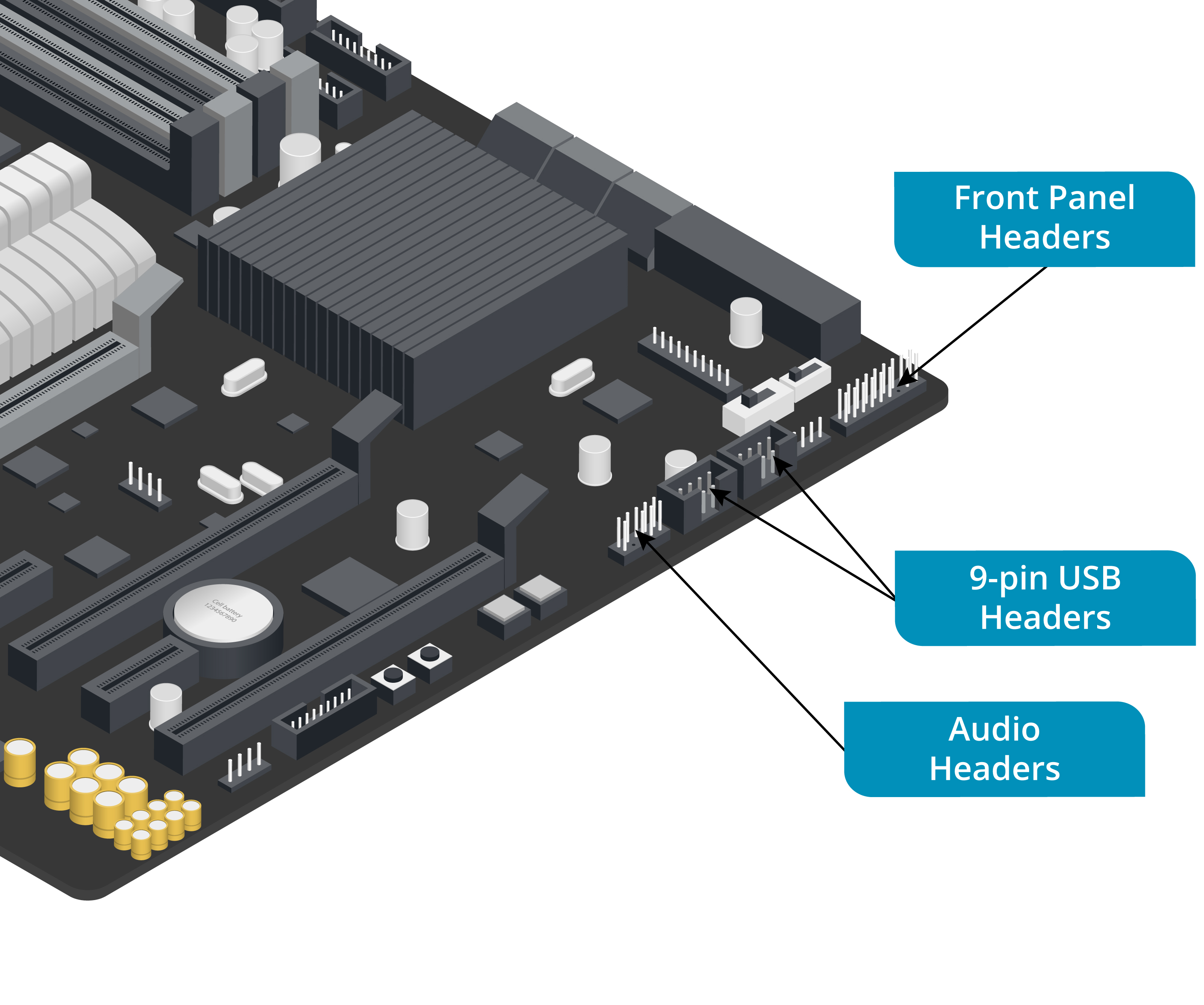
Headers
Components on the front and rear panels of the case connect to headers on the motherboard:
-
Power button (soft power)—Sends a signal that can be interpreted by the OS as a command to shut down rather than switching the PC off.
- holding power button down for a few seconds will cut the power, however
-
Drive (HDD) activity lights—Show when an internal hard disk is being accessed
-
Audio ports—Allow speakers and/or headphones and a microphone to be connected to the computer
-
USB ports—Internal USB 2 connections are made via 9-pin headers, which accept up to two 4-pin port connections (the 9th pin is to orient the cable correctly)
- USB 3 headers use a 2x10 format and can be cabled to two ports
-
When disassembling the system, you should make a diagram of the position and orientation of header connectors
-
If you do not have a diagram, you will have to refer to the motherboard documentation or go by any labels printed on the wires and headers
- may not be easy to follow
Power Connectors
The motherboard also contains various connection points for the power supply and fans.
- The main P1 motherboard power connector is a distinctive 2-pin x 12-pin block with square pin receptacles
- Fan connectors are 3- or 4-pin Molex KK format
- one for the CPU and one or more for the case fans and components such as memory and video adapters
- 4-pin fan connectors support precise fan-speed control via a pulse width modulation (PWM) signal carried by the blue wire
- 3-pin fans are controlled by varying the voltage
Info
- Fans with a 3-pin connector can usually be used with 4-pin headers
- but the system may not be able to vary the fan speed (or may need special configuration to be able to do so)
- A fan with a 4-pin connector will usually work with a 3-pin header
- but will not be able to use PWM