Inkjet Printer Imaging Process
- Inkjet printers are often used for good-quality color output
- E.g., photo printing
- cheap to buy but expensive to run
- costly consumables such as ink cartridges and high-grade paper
- Compared to laser printers:
- are slower and often noisier
- less popular in office environments
- Good for:
- low-volume, good-quality color printing
Inkjet Printer Imaging Process
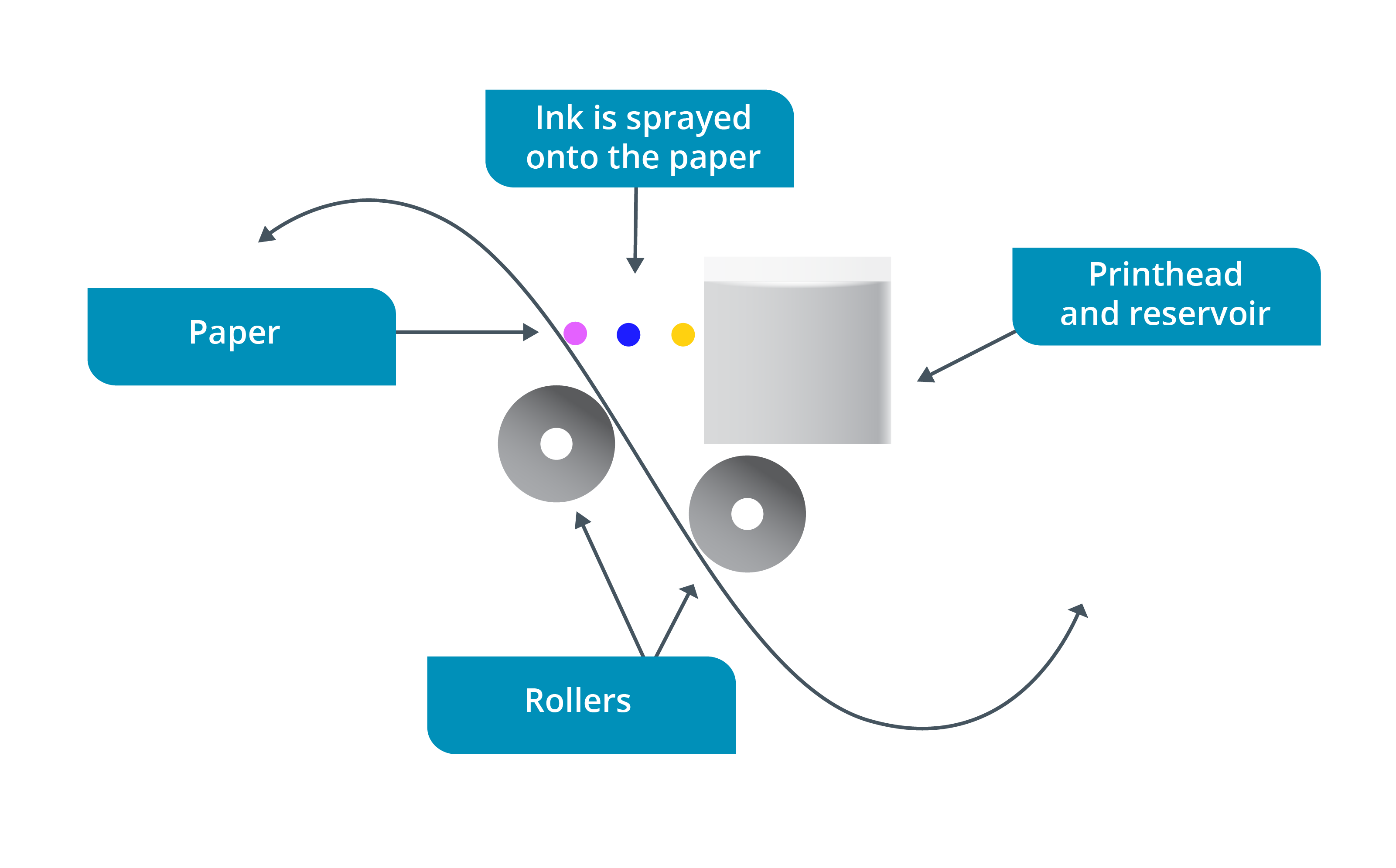
- work by firing microscopic droplets of ink at the paper
- creates high-quality images, especially when specially treated paper is used
- prone to smearing and fading
- two main types of inkjet print head:
- charge (or piezoelectric) method
- used by Epson printers
- nozzle contains a piezoelectric element
- changes shape when a voltage is applied
- This acts like a small pump, pushing ink through the nozzle and drawing ink from the reservoir
- thermal method
- used by HP, Canon, and Lexmark
- the ink at each nozzle in the print head is heated, creating a bubble
- When the bubble bursts, it sprays ink through the nozzle and draws more ink from the reservoir
- cheaper and simpler to produce
- but heating elements have a relatively short life
- use a combined print head and ink reservoir
- When the ink runs out, the print head is also replaced
Carriage System
- inkjet printers build up the image line by line
- print head is moved back and forth over the paper by a carriage system
- two ways:
- one-directional
- ink is applied when the print head moves in one direction only
- bidirectional
- apply ink on both the outward and return passes over the page
- carriage system uses:
- a stepper motor, pulley, and belt to move the print head
- guide shaft to keep the print head stable
- sensors to detect the position of the print head
- flat ribbon data cable connects the print head to the printer’s circuit board
- When a line has been completed
- another stepper motor advances the page a little bit
- next line or row is printed
- may also be a lever used to set the platen gap or the printer may adjust this automatically depending on driver settings
- is the distance between the print head and the paper
- Having an adjustable platen gap allows the printer to use thicker media