File Transfer Protocol (FTP)
File Transfer Protocol (FTP) is an application protocol used to transfer files between network hosts.
- Most HTTP servers also function as FTP servers
- FTP services, accounts, and directories may be installed and enabled by default when you install a web server
- FTP is more efficient than file attachments or HTTP file transfer
- has no security mechanisms
- All authentication and data transfer are communicated as plaintext
- HTTPS-based web services and web applications offer file downloads to end users
- FTP is still used for administrative upload/download of files to and from servers and appliances
- uses ports 20 and 21
- variants include:
Active Versus Passive FTP
- an FTP clients connects to TCP port 21 on an FTP server
- opens a chosen dynamic client port number (
)
- opens a chosen dynamic client port number (
- TCP port 21 control port is used to transfer commands and status information
- not for data transfer
- data transfer operates in 2 modes:
- active
- client sends a
PORTcommand specifying its chosen data connection port number (typically) - server opens the data connection between the chosen client port and TCP port 20 on the server
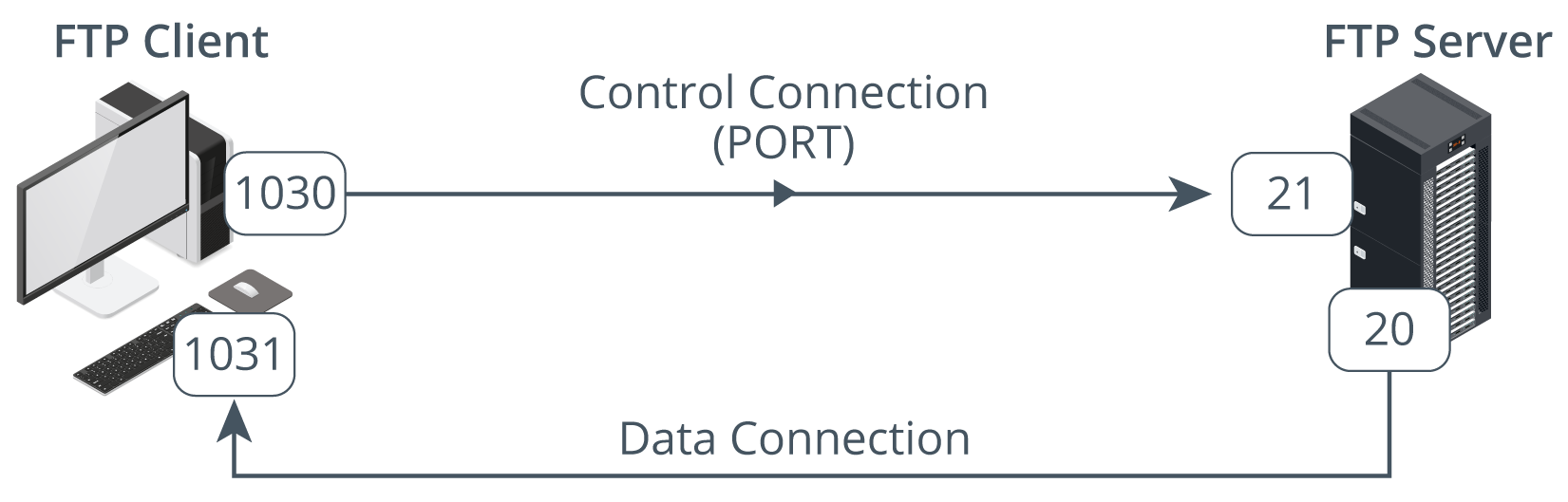
- client sends a
- passive
- client opens a data port (
) - sends the
PASVcommand to the server’s control port - server opens a random high port number and sends it to the client using the
PORTcommand - client initiates the connection between the two ports
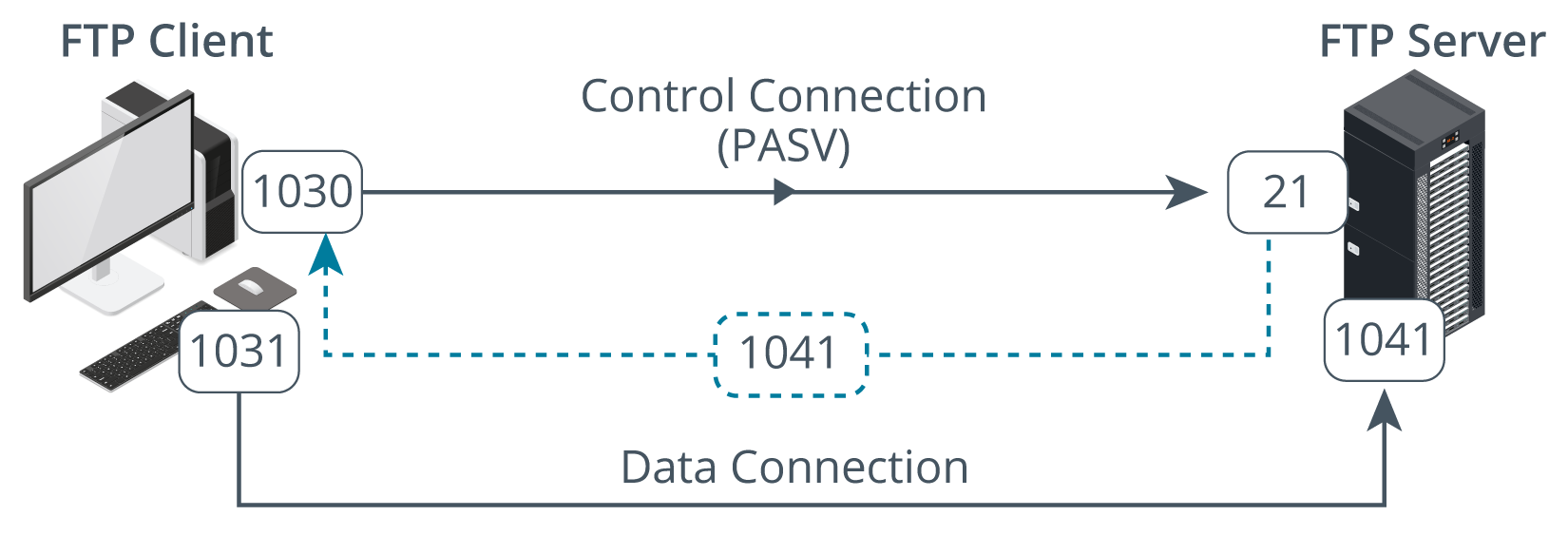
- client opens a data port (
- active
- active FTP poses a configuration problem some firewalls
- server is initiating the inbound connection, but no way of predicting which port number will be used
- not all FTP servers and clients can operate in passive mode
- check that firewalls installed between the client and server can support active FTP (stateful inspection firewalls)
Issues
- another problem is that the contorl connection can remain idle when the data connection is in use
- means that the connection can be “timed out” by the firewall (or other routing device)