ItsyBitsy Write-Up
| Field | Details |
|---|---|
| Platform | TryHackMe thm |
| Challenge | ItsBitsy |
| Category | SIEM Investigation (Kibana) |
| Operating System | N/A |
| Difficulty | Medium |
| Date | 2026-06-16 |
Executive Summary
An IDS alerted to a potential C2 communication with a suspicious file downloaded containing a malicious pattern (in this mock scenario THM{_______} serves as the signature). Upon investigating the connection logs of the associated user (Browne), it was determined that a native Windows binary, BITSAdmin, was used to access the malicious payload secret.txt on a file-sharing site with the URL hxxp://pastebin.com/yTg0Ah6a.
In the connection_logs index for user Browne, a connection was made from internal IP 192.166.65.54 to external IP 104[.]23[.]99[.]190 with a user_agent of bitsadmin. BITSAdmin is a legitimate Windows tool that was abused as a Living Off the Land Binary (LOLBin). BITSAdmin’s legitimate use is to create, monitor, and manage jobs for the Background Intelligent Transfer Service (BITS). This service is used for file transfer and as part of Windows update services.
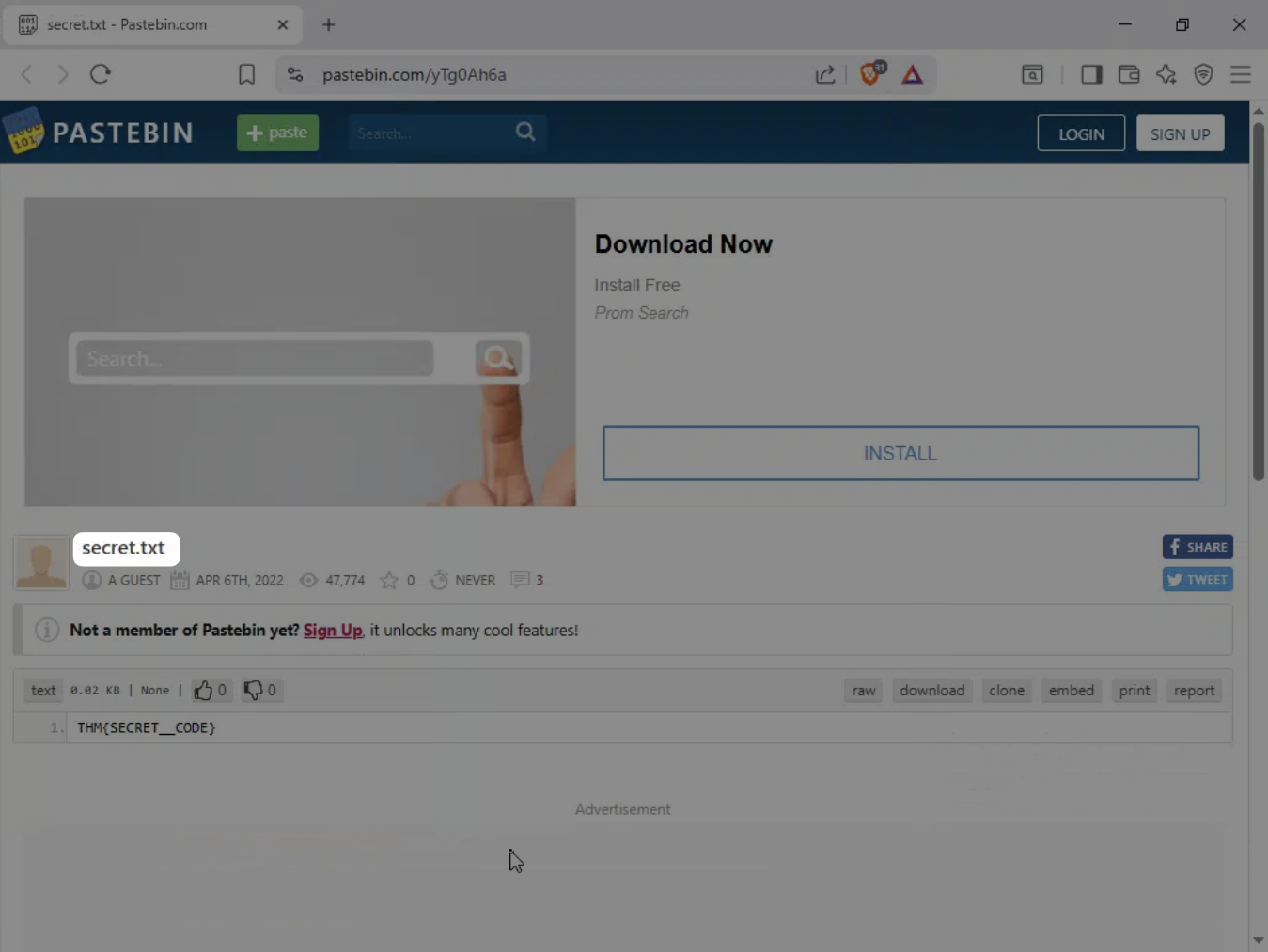
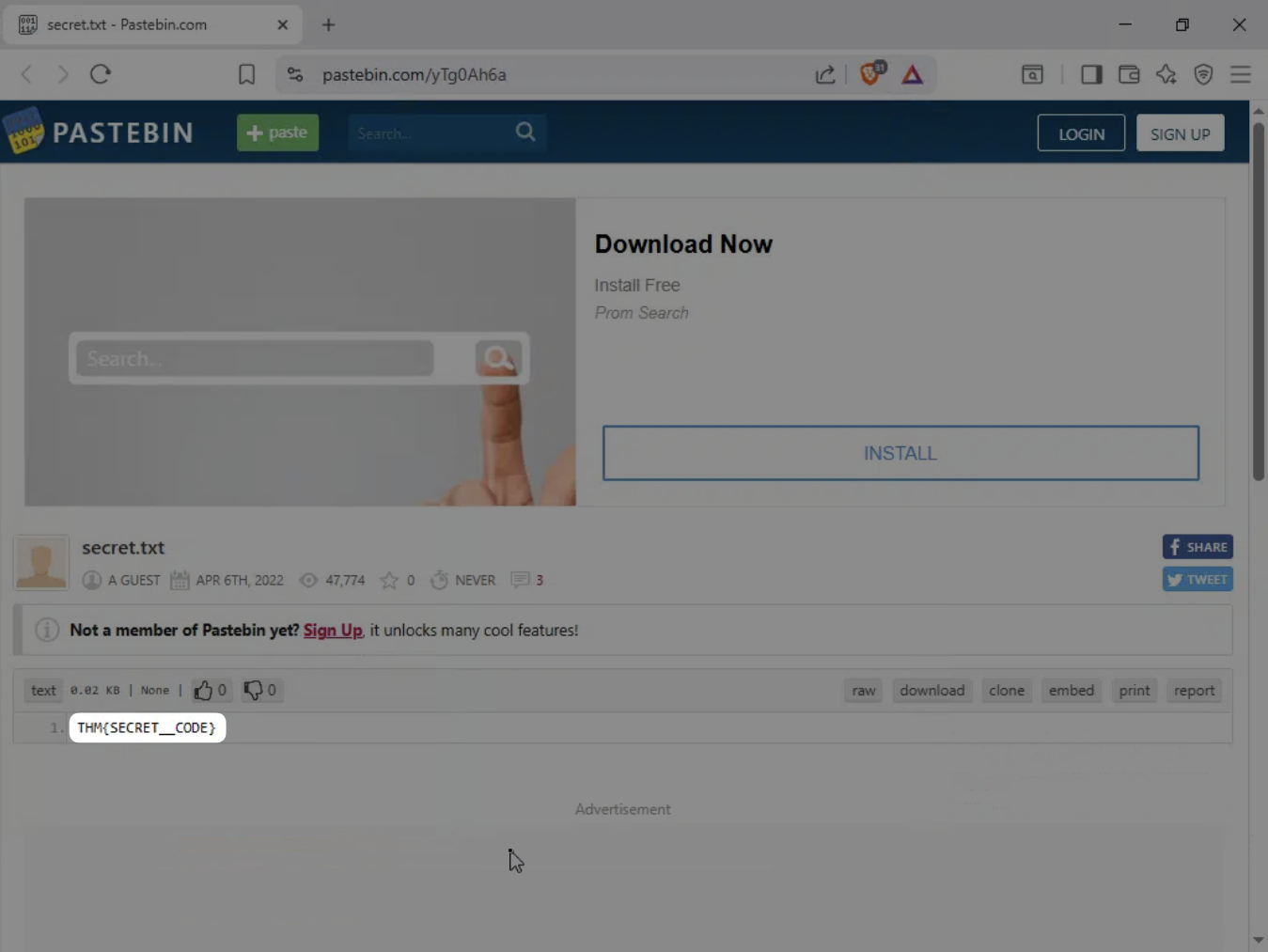
The accessed host was pastebin.com with a uri of /yTg0Ah6a. Visiting this site in a sandbox (browserling.com), I was able to inspect the contents of the page and discover the file secret.txt with the malicious signature that alerted the IDS.
This concludes the investigation of the IDS alert to confirm the malicious nature of the connection. In this scenario, it is assumed that the file and signature are malicious due to the specific scope of this challenge. Further steps would include correlating these events against other logs, conducting indicator enrichment against the IOC collected, and conducting an analysis on the suspicious file to confirm its malicious nature. Additionally, one would investigate the broader attack chain to determine reconnaissance, initial access methods, further lateral movement/privilege escalation, and attacks on objectives.
MITRE ATT&CK Mapping
| Tactic | Technique | ID |
|---|---|---|
| Execution | BITS Jobs | T1197 |
Indicators of Compromise (IOCs)
| Type | Indicator | Description |
|---|---|---|
| URL | hxxp://pastebin.com/yTg0Ah6a | File-sharing site hosting the malicious payload. |
| IP | 104[.]23[.]99[.]190 | IP of the file-sharing site. |
| File | secret.txt | File name of the malicious payload. |
Scenario
In this challenge room, we will take a simple challenge to investigate an alert by IDS regarding a potential C2 communication.
During normal SOC monitoring, Analyst John observed an alert on an IDS solution indicating a potential C2 communication from a user Browne from the HR department. A suspicious file was accessed containing a malicious pattern THM:{ ________ }. A week-long HTTP connection logs have been pulled to investigate. Due to limited resources, only the connection logs could be pulled out and are ingested into the connection_logs index in Kibana.
Our task in this room will be to examine the network connection logs of this user, find the link and the content of the file, and answer the questions.
Investigation
Identifying the Attacker
Q1 — How many events were returned for the month of March 2022?
-
I first started to organize the Kibana discovery output by adding the relevant fields as columns:
- source_ip
- source_port
- destination_ip
- destination_port
- host
- uri
- user_agent
-
I next filtered for the correct index and date range:
_index:"connection_logs"- date range:
Mar 1, 2022 @ 00:00:00.00 → Mar 31, 2022 @ 23:30:00.00
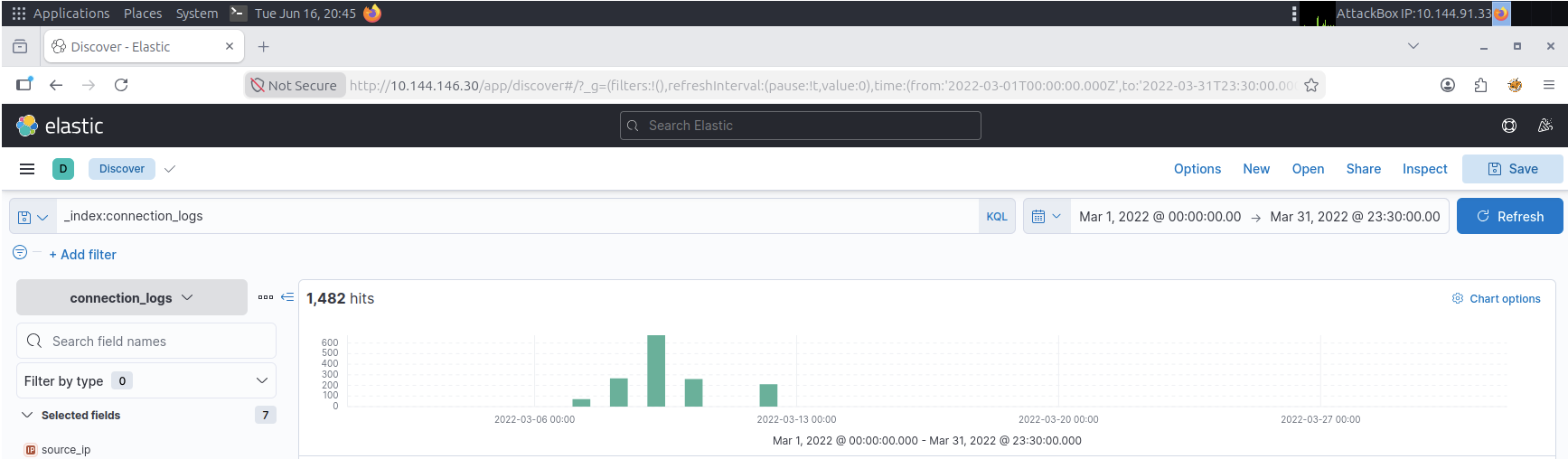
Answer:
1482
Q2 — What is the IP associated with the suspected user in the logs?
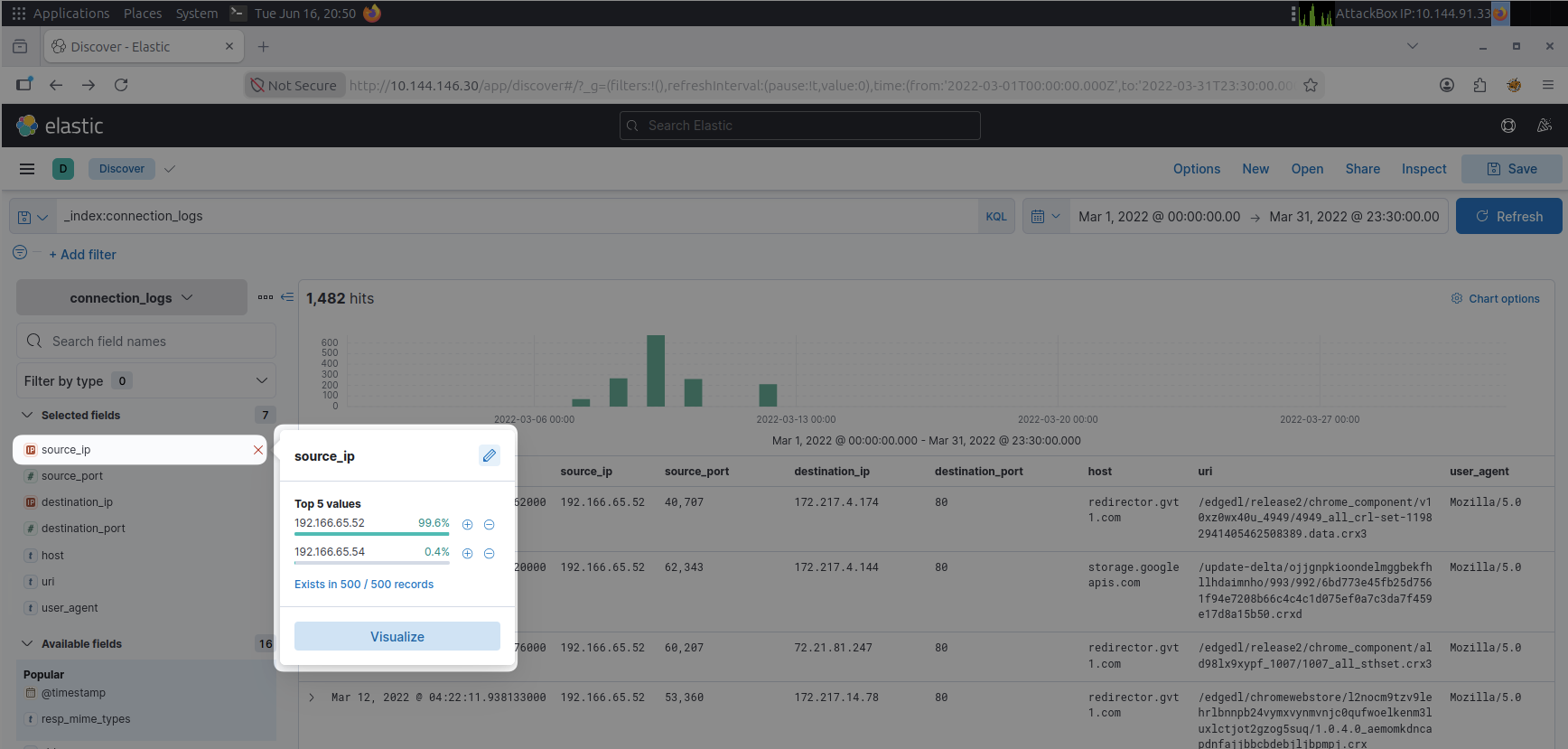
- First, I clicked the
source_ipfield in the fields column on the left to see the top IPs for the data set.- Two IPs are documented
- IP
192.166.65.54accounts for 0.4% of the traffic collected- This stands out to me, so I add it to the filter to investigate
- filtering for this IP shows an unexpected user_agent other than Mozilla:
bitsadmin - The
hosttells the domain accessed, which ispastebin.comin this case- this is suspicious as HR would not likely be accessing this
- These connection logs do not contain the user of the host machine
- Ideally, you would correlate this IP to the user across log sources for confirmation
- In this case, we do not have access to that, so entering this IP gives us the correct solution
Answer:
192.166.65.54
Payload Installation
Q3 — The user’s machine used a legit windows binary to download a file from the C2 server. What is the name of the binary?
The question tells us that the user tried to download a file using a legit Windows binary, so I will look at the user_agents in the connection_log.
- By filtering on the IP, we see the
user_agentassociated with the 2 connection requests- We can also look at the top
user_agents from the fields column on the left bitsadminstands out from the other Mozilla user agents
- We can also look at the top
- A Brave search query tells me the
bitsadminis associated with the Background Intelligent Transfer Service (BITS)- This is a legit Windows command-line tool used to manage BITS jobs for downloading or uploading files
- This is a good indicator that I am on the right track
Answer:
bitsadmin
Q4 — The infected machine connected with a famous filesharing site in this period, which also acts as a C2 server used by the malware authors to communicate. What is the name of the filesharing site?
- The filesharing site is also located in these results under the
hostcolumn
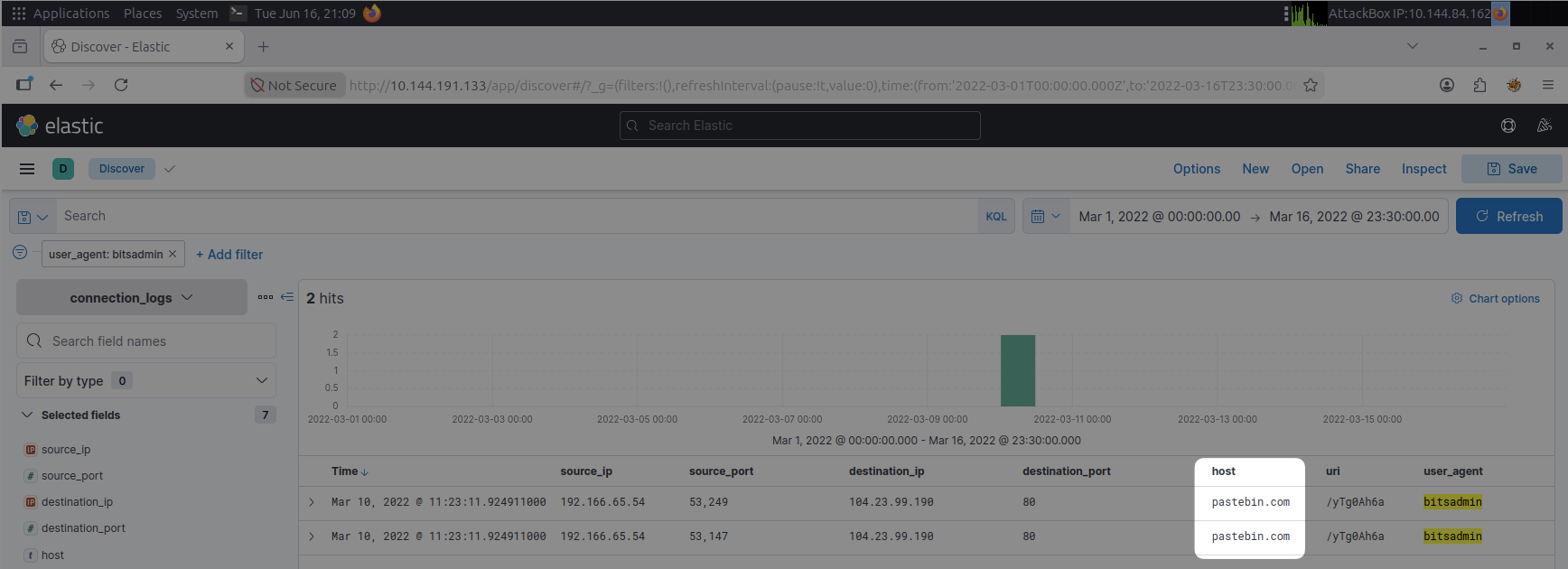
Answer:
pastebin.com
Q5 — What is the full URL of the C2 to which the infected host is connected?
- I’ve already added the
urito the column view, so we can see it here as well - Concatenating the
hostanduritogether will give us the URL
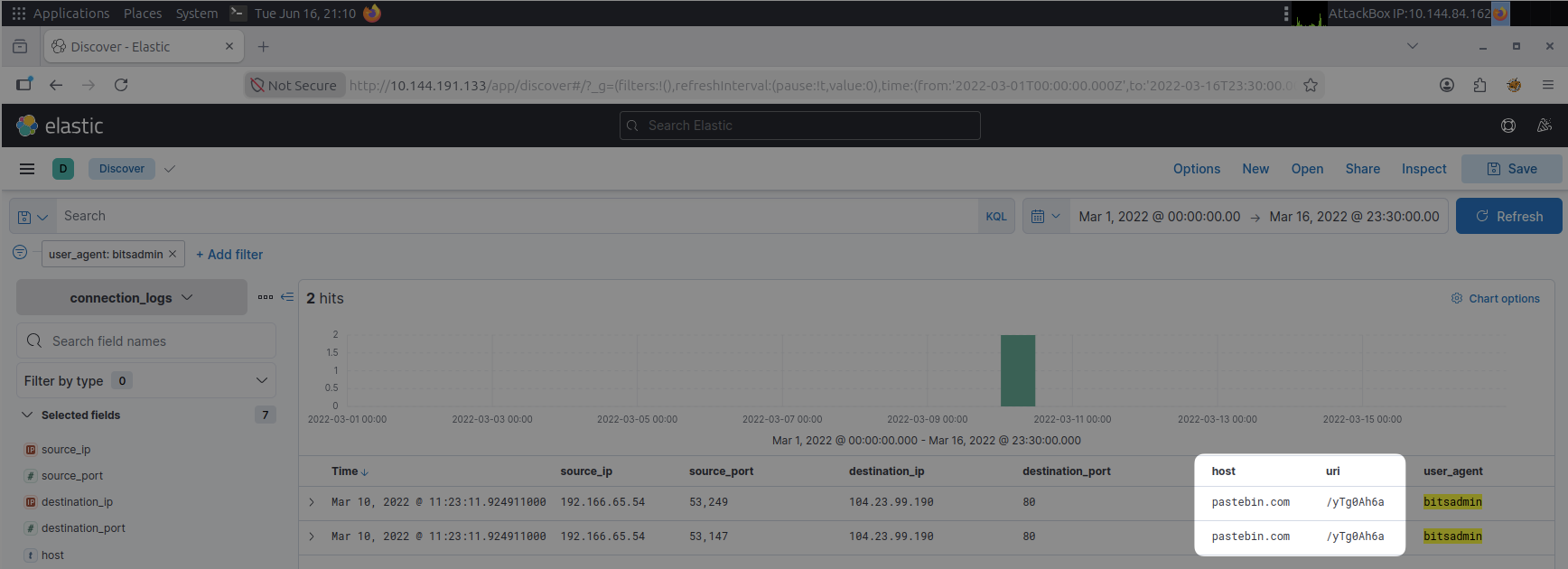
Answer:
pastebin.com/yTg0Ah6a
Q6 — A file was accessed on the filesharing site. What is the name of the file accessed?
- To investigate this potentially malicious URL, we can use a browser sandbox environment
- In this case, I’ll use browserling and search the suspicious url:
pastebin.com/yTg0Ah6a - The results show us the name of the file accessed
Answer:
secret.txt
Q7 — The file contains a secret code with the format
THM{_____}.
- Here we can also see the content of the file, which contains the secret code
Answer:
THM{SECRET__CODE}
Tools Used
- Kibana
browserling.com- Brave search
Lessons Learned
This was a great primer and introduction to CTFs and Kibana. I like that it was pretty straightforward because I can get used to navigating and using Kibana and focus on the core investigations without getting too overwhelmed by noise requiring complex queries.
I hope to continue to encounter challenges at the level with some progression to better develop my investigations skills over time.